FAB Salary Check Online 2026: How to Check Your First Abu Dhabi Bank Salary in UAE
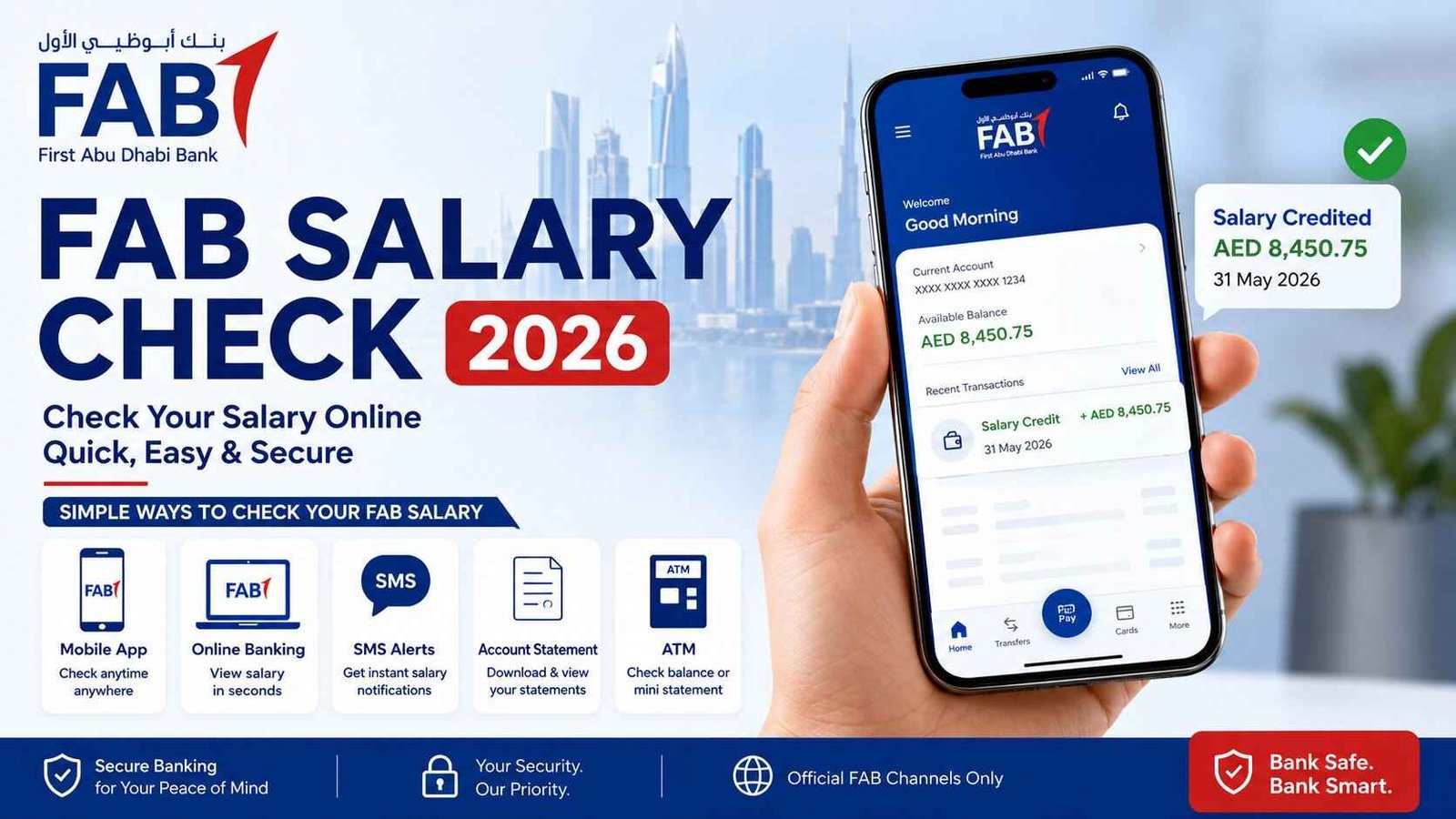
If you receive your monthly salary through First Abu Dhabi Bank (FAB), knowing when your salary has been credited is important for managing bills, transfers, and everyday expenses. Fortunately, FAB Salary Check can be done in several convenient ways, including the FAB Mobile Banking app, FAB Online Banking, SMS alerts, and your account statement.
Whether you are a private-sector employee, government worker, or expatriate living in the UAE, this guide explains every available method to check your salary credit in your FAB account. It also covers common reasons why salary payments may be delayed and what you should do if your salary has not arrived.
What Is FAB Salary Check?
FAB Salary Check means verifying whether your employer has successfully deposited your monthly salary into your First Abu Dhabi Bank account. Once your employer processes payroll through the UAE’s Wage Protection System (WPS) or another approved salary transfer method, the amount is credited directly to your FAB account.
Checking your salary regularly helps you:
- Confirm that your salary has been credited.
- Monitor your monthly income.
- Verify the exact salary amount received.
- Plan payments for rent, loans, credit cards, and utility bills.
- Detect any unexpected delays or payment issues quickly.
Since FAB provides multiple digital banking services, customers can check their salary anytime without visiting a branch.
Methods to Check FAB Salary in UAE
There are several reliable ways to perform a FAB salary check. The best method depends on whether you have internet access, mobile banking, or SMS notifications enabled.
| Method | Internet Required | Available 24/7 | Instant Result |
|---|---|---|---|
| FAB Mobile Banking App | Yes | Yes | Yes |
| FAB Online Banking | Yes | Yes | Yes |
| SMS Alerts | No | Yes | Yes |
| Account Statement | Yes | Yes | Yes |
| ATM Mini Statement | No | Yes | Yes |
| Customer Care | Optional | Yes | Depends |
Each method is explained below.
How to Check FAB Salary Using the FAB Mobile App
The FAB Mobile Banking application is the quickest and easiest way to check whether your salary has been credited.
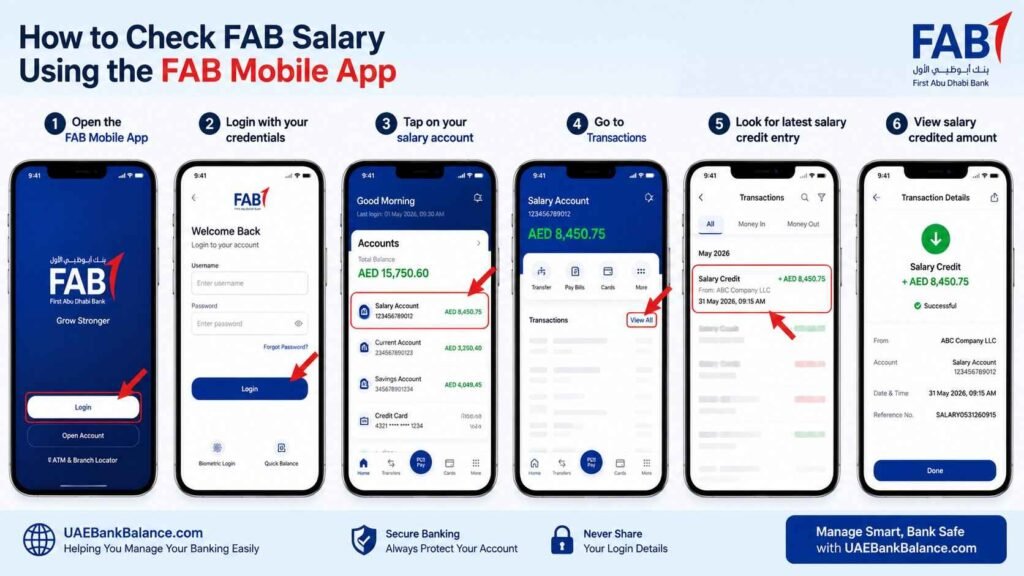
After logging into the app, your available account balance appears on the dashboard. You can also open your salary account to view recent transactions and confirm the latest salary deposit.
To check your salary:
- Open the FAB Mobile Banking app.
- Sign in using your credentials or biometric login.
- Select your salary account.
- View your recent transactions.
- Look for the latest salary credit entry from your employer.
The app also provides your available balance, transaction history, account details, and downloadable account statements.
Check FAB Salary Through Online Banking
Customers who prefer using a computer can check their salary through FAB Internet Banking.
After logging into your online banking account, select your salary account to view recent credits. The latest salary payment usually appears with your employer’s name or salary reference number.
Online Banking also allows you to:
- View complete account history.
- Download monthly statements.
- Monitor incoming salary payments.
- Transfer money after salary credit.
- Pay bills immediately.
This method is especially useful if you manage multiple FAB accounts.
Receive Salary Notifications Through SMS Alerts
FAB offers SMS banking alerts that notify customers whenever money is credited to their account.
If SMS Alerts are activated, you’ll receive a text message immediately after your salary is deposited. The message typically includes:
- Salary credited amount
- Date and time
- Updated account balance
SMS alerts are one of the fastest ways to confirm salary payments without opening the banking app.
Check Salary Through Your FAB Account Statement
Another reliable method is reviewing your account statement.
FAB provides digital account statements that display every transaction, including salary credits.
Your statement includes:
- Salary payment date
- Employer reference
- Credited amount
- Opening balance
- Closing balance
- Complete transaction history
Statements are useful if you need salary proof for visa applications, loan processing, or financial records.
Use an FAB ATM to Check Salary
If you do not have internet access, you can visit any FAB ATM across the UAE.
Insert your debit card, enter your PIN, and choose either:
- Balance Inquiry
- Mini Statement
If your salary has been credited, it will appear in your latest transactions along with your updated balance.
This method is available 24 hours a day.
How Long Does FAB Salary Credit Take?
Salary credit timing depends mainly on when your employer processes payroll.
In most cases:
- Salaries are credited on the employer’s scheduled payday.
- WPS salary transfers usually appear once the payment is processed successfully.
- Some salary payments may arrive later due to weekends, public holidays, banking cut-off times, or payroll verification.
If your colleagues using the same bank have already received their salaries but yours has not appeared, it is advisable to contact your employer’s HR or payroll department first.
Why Has My FAB Salary Not Been Credited?
There are several reasons why your salary may not yet appear in your account.
Employer Has Not Processed Payroll
The most common reason is that your employer has not yet submitted the salary payment.
Bank Processing Time
Although many salary credits are processed quickly, some transfers require additional verification before being credited.
Public Holidays
Salary processing may be delayed during UAE public holidays or weekends when payroll files are submitted late.
Incorrect Account Details
If the salary account number or IBAN provided to your employer is incorrect, payment may be delayed or rejected.
Wage Protection System (WPS) Delay
If your employer uses the UAE Wage Protection System, processing delays within the payroll cycle can sometimes affect salary credit timing.
What Should You Do If Your Salary Is Delayed?
If your salary has not been credited:
- Confirm your salary payment date with your employer.
- Check your FAB Mobile App and Online Banking again.
- Review SMS notifications.
- Verify your account details with HR.
- Contact FAB Customer Support if your employer confirms payment has already been sent.
Most delays are resolved once payroll processing is completed.
Benefits of Using a FAB Salary Account
Receiving your salary through FAB offers several advantages.
Customers can enjoy:
- Instant salary credit notifications
- Secure online banking
- Mobile banking access
- Easy fund transfers
- Debit card access
- ATM network across the UAE
- Digital account statements
- Bill payment services
- International remittance options
- Strong account security features
These services make salary management convenient for both UAE nationals and expatriates.
Tips to Manage Your FAB Salary Better
Managing your salary effectively helps improve your financial stability.
Some useful habits include:
- Check your salary on payday each month.
- Enable SMS and push notifications.
- Download monthly account statements.
- Monitor automatic bill payments.
- Keep emergency savings in your account.
- Update your employer immediately if your banking details change.
Small financial habits can help avoid missed payments and improve budgeting throughout the month.
Frequently Asked Questions
How can I check my FAB salary online?
You can check your salary through the FAB Mobile Banking App or FAB Online Banking by viewing your recent account transactions.
Does FAB send salary SMS alerts?
Yes. If SMS Alerts are activated on your account, you will receive an instant notification whenever your salary is credited.
Can I check my FAB salary without internet?
Yes. You can visit any FAB ATM to check your account balance or print a mini statement showing your latest salary transaction.
Why is my salary delayed in FAB?
Salary delays are usually caused by employer payroll processing, WPS processing, public holidays, or incorrect banking details.
Is FAB salary available immediately after the employer sends it?
In many cases, yes. However, processing time depends on your employer’s payroll schedule and banking processing times.
Final Thoughts
Checking your FAB salary has become simple thanks to the bank’s digital banking services. Whether you use the FAB Mobile Banking App, Online Banking, SMS alerts, or an ATM, you can verify your salary credit within minutes.
If your salary is delayed, first confirm the payroll status with your employer before contacting the bank. Regularly monitoring your salary account, enabling transaction alerts, and reviewing your account statements will help you stay informed about every salary payment.
Safety Note: Never share your FAB online banking password, PIN, OTP, or login credentials with anyone. Always use the official FAB website or mobile app to check your salary and avoid phishing websites or fraudulent messages.



One Comment