UAE Balance Check (2026): Complete Guide to Checking Bank, Salary Card, NOL, Hafilat, Wallet & Telecom Balances
Whether you’ve just received your monthly salary, topped up your metro card, or want to know how much balance is left in your mobile account, performing a UAE balance check is one of the most common financial tasks for residents and expatriates. From checking your bank account balance to viewing your salary card funds, NOL card balance, Hafilat balance, digital wallet balance, or telecom balance, there are now several fast and secure ways to access your information.
Many people still believe they need to visit a bank branch or ATM to check their balance. Fortunately, this is no longer the case. Most UAE banks, salary card providers, transport authorities, and telecom companies now offer mobile apps, online portals, SMS services, customer support, and self-service kiosks that allow users to check their balances within minutes.
However, with so many different banks, salary cards, payroll providers, and payment services available in the UAE, it can sometimes be confusing to know which method to use. Searching online often leads to outdated information or unofficial websites that may not be secure. This guide solves that problem by bringing together the most reliable balance-check methods in one place.
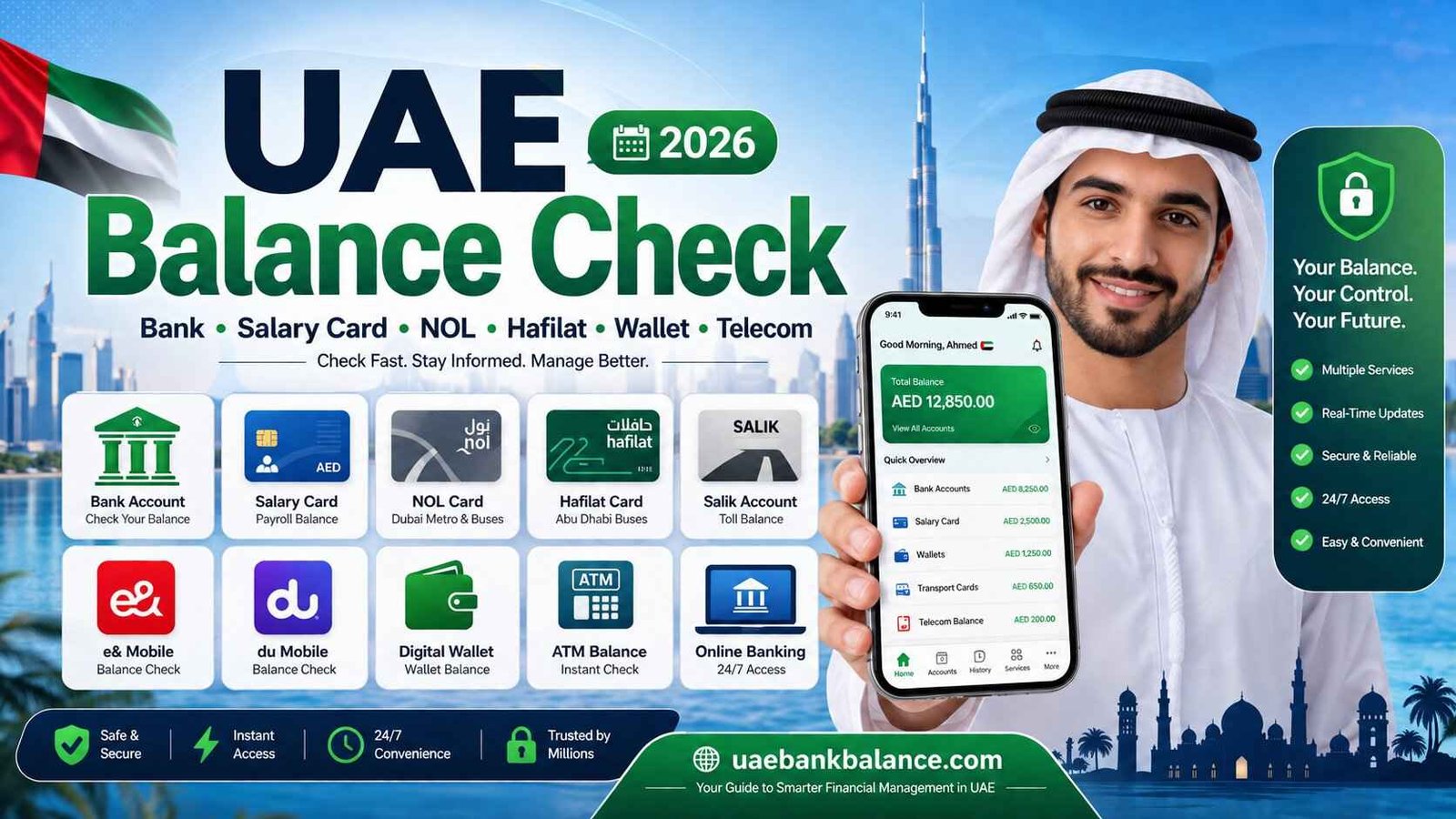
In this complete guide, you’ll learn how to perform a UAE balance check for bank accounts, salary cards, payroll cards, NOL cards, Hafilat cards, Salik accounts, digital wallets, and telecom services. You’ll also discover the safest ways to check your balance, common problems users face, practical solutions, and official resources where you can verify your information.
What Does UAE Balance Check Mean?
The term UAE balance check refers to checking the available balance of different financial and service accounts used in the United Arab Emirates. While many people immediately think of bank accounts, the term actually covers a much wider range of services.
Depending on your needs, a UAE balance check may include checking:
- Bank account balance.
- Salary card balance.
- Payroll card balance.
- NOL card balance.
- Hafilat card balance.
- Salik account balance.
- Digital wallet balance.
- Mobile balance.
- Internet account balance.
- Reward points and prepaid card balances.
Each service uses its own official platform, but the overall process has become much easier thanks to digital banking and mobile applications.
Why Checking Your Balance Regularly Is Important
Checking your balance isn’t only about knowing how much money you have available. It also helps you manage your finances more effectively and quickly identify any unexpected transactions.
Regular balance checks can help you:
- Confirm that your salary has been credited.
- Monitor your daily spending.
- Avoid declined card transactions.
- Detect unauthorized activity early.
- Plan monthly expenses.
- Track bill payments.
- Stay within your budget.
- Manage transportation cards before travelling.
For salary card holders, checking the balance after payday ensures that wages have been received successfully. For commuters, checking a NOL or Hafilat card before travelling helps avoid interruptions during your journey.
Ways to Check Your Balance in the UAE
Today, there are several convenient methods available depending on the service you’re using.
| Method | Suitable For | Internet Required |
|---|---|---|
| Mobile App | Banks, Wallets, Salary Cards | Yes |
| Online Banking | Bank Accounts | Yes |
| ATM | Bank Accounts | No |
| Customer Care | Banks & Service Providers | Optional |
| SMS Banking | Selected Banks | No |
| Self-Service Kiosk | NOL & Hafilat Cards | No |
| Official Website | Most Services | Yes |
Choosing the right method depends on the type of account you want to check and the services provided by your bank or company.
Bank Balance Check in the UAE
Banks remain the primary place where most residents manage their salaries, savings, and daily transactions. Almost every UAE bank offers several ways to check your account balance without visiting a branch.
The most common methods include mobile banking, internet banking, ATMs, SMS banking (where available), and customer support.
Some of the major banks in the UAE include:
- First Abu Dhabi Bank (FAB)
- Emirates NBD
- Abu Dhabi Commercial Bank (ADCB)
- Dubai Islamic Bank (DIB)
- Mashreq
- HSBC UAE
- Standard Chartered UAE
- Commercial Bank of Dubai (CBD)
- National Bank of Fujairah (NBF)
- Ajman Bank
- RAKBANK
- Emirates Islamic
Each bank provides secure digital channels that allow customers to access their balances anytime.
Check Your Balance Using Mobile Banking
Mobile banking has become the most popular balance-check method because it is fast, secure, and available 24 hours a day.
After downloading your bank’s official mobile app, simply sign in using your registered credentials. Most apps display your available account balance directly on the home screen, while also providing access to recent transactions, transfers, card management, and bill payments.
Many UAE banks also support biometric login, allowing customers to access their accounts using fingerprint or facial recognition for added convenience.
Check Your Balance Through Online Banking
If you prefer using a computer, online banking offers the same features as the mobile app.
Simply visit your bank’s official website, sign in to your internet banking account, and navigate to your account dashboard. From there, you can view:
- Current account balance.
- Savings account balance.
- Recent transactions.
- Credit card balances.
- Fixed deposits.
- Loan information.
Always ensure you are using the official bank website before entering your login credentials.
Check Your Balance at an ATM
ATMs remain one of the easiest ways to check your account balance, especially if you don’t have internet access.
Step 1
Insert your debit or ATM card.
Step 2
Enter your PIN securely.
Step 3
Select Balance Inquiry from the menu.
Step 4
Choose the account you want to check, if prompted.
Step 5
View your available balance on the screen or print a receipt if required.
For security reasons, always shield your PIN while entering it and remember to collect your card before leaving the ATM.
Salary Card Balance Check in the UAE
Many private-sector employees receive their salaries through payroll or salary cards instead of traditional bank accounts. These cards are commonly issued under the UAE’s Wage Protection System (WPS), allowing employers to pay salaries securely and on time.
Popular salary card providers include banks, exchange houses, and payroll service companies. Most salary cards allow users to check their balances through dedicated mobile apps, websites, ATMs, or customer service channels.
Some of the most commonly used salary cards in the UAE include:
- FAB Payroll Card
- Magnati Payroll Card
- MyPay MyCard
- Ratibi Card
- PPC Payroll Card
- Al Ansari Salary Card
- C3 Payroll Card
Each provider offers different balance-check options depending on the card type.
FAB Salary Card Balance Check
Employees using a FAB salary card can usually check their balance through the official FAB mobile app, online banking (where applicable), selected ATMs, or the salary card portal provided by their employer.
If your company has issued a payroll card through FAB, always use the official instructions provided with your card for the most accurate balance-check method.
Magnati Balance Check
Magnati provides payroll and payment solutions for many employers in the UAE. Depending on your employer’s setup, you may be able to check your balance through the designated Magnati portal, payroll platform, or mobile application associated with your salary card.
Always use the official portal mentioned in your employer’s welcome pack or salary card documentation.
MyPay MyCard Balance Check
MyPay MyCard users can generally check their balance using the official LuLu Money mobile app or the services provided alongside their salary card. Logging into your registered account allows you to monitor your salary credits, recent transactions, and available balance.
If your employer has provided additional instructions or a dedicated portal, follow those official guidelines for the best experience.
Ratibi Balance Check
Ratibi cards provide an easy way for employees to receive salaries without opening a traditional bank account. Balance enquiries can usually be completed through the official provider’s digital channels, ATMs, or customer support services, depending on the issuing institution.
PPC Payroll Card Balance Check
Many organizations use PPC payroll cards for salary distribution. Users should always follow the official portal or customer support details supplied by their employer, as balance-check methods may vary depending on the payroll provider.
By relying on official channels, you can securely access your available balance while protecting your personal and financial information.
NOL Card Balance Check
The NOL Card is Dubai’s smart travel card used to pay for public transport, including the Dubai Metro, buses, trams, water buses, and selected parking services. Whether you’re a daily commuter, student, or tourist, checking your NOL card balance regularly helps ensure you have enough credit before starting your journey.
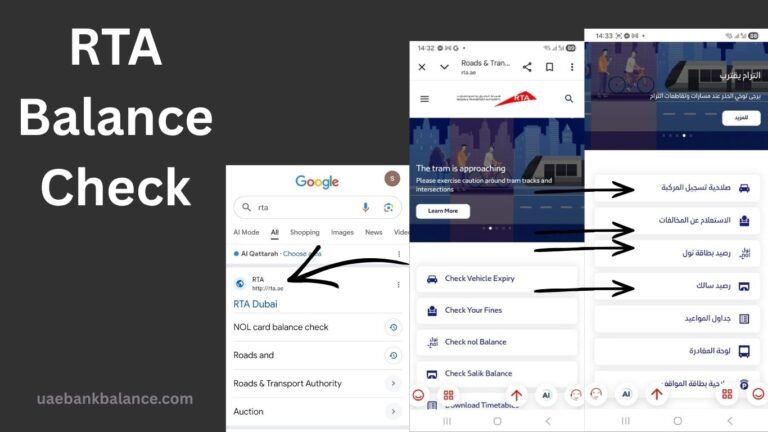
The Roads and Transport Authority (RTA) provides several official methods to check your NOL card balance. The easiest option is through the official RTA website or mobile application, where you simply enter your NOL tag ID to view the available balance and recent activity. You can also check your balance at Metro station ticket vending machines, ticket offices, customer happiness centers, or self-service kiosks.
If you frequently use Dubai’s public transport, it’s a good habit to check your balance before travelling to avoid delays or inconvenience at station gates.
Related Guide: NOL Card Balance Check
Hafilat Card Balance Check
Residents of Abu Dhabi commonly use the Hafilat Card for public bus transportation. Like the NOL card, the Hafilat card stores travel credit electronically and should be topped up before travelling.
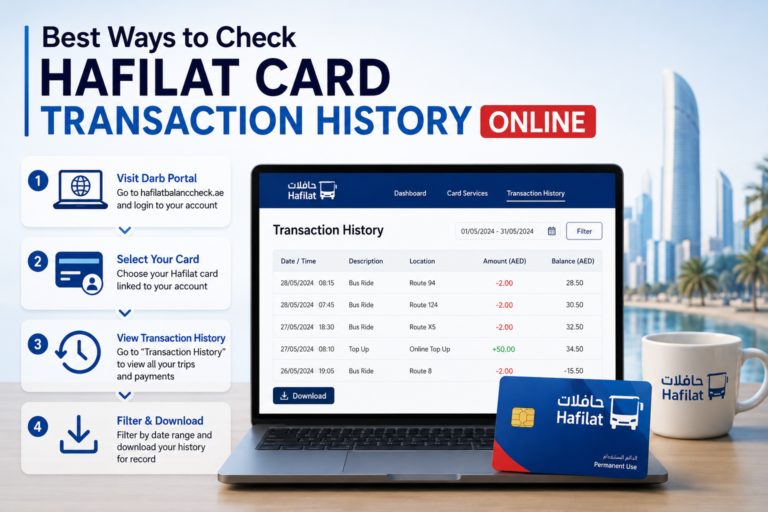
Checking your Hafilat balance is simple. Users can check their balance through the official Hafilat website, mobile application (where available), ticket vending machines, bus stations, and customer service centers. Many recharge machines also display your available balance immediately after scanning your card.
Checking your Hafilat balance regularly helps ensure smooth travel without unexpected interruptions.
Related Guide: Hafilat Card Balance Check
Salik Balance Check
If you drive through Dubai’s toll gates, monitoring your Salik account balance is essential. Insufficient balance may result in your account becoming negative, requiring you to recharge before your next journey.
Salik customers can check their balance using several convenient methods, including:
- Official Salik website.
- Salik mobile application.
- RTA Dubai App.
- Customer Happiness Centers.
- Customer support.
After signing into your account, you’ll be able to view:
- Current balance.
- Recent toll transactions.
- Recharge history.
- Registered vehicles.
- Trip history.
Regular balance checks help drivers avoid unnecessary payment issues while using Dubai’s road network.
Digital Wallet Balance Check
Digital wallets have become increasingly popular across the UAE because they offer fast, secure, and convenient financial services directly from a smartphone. Whether you’re making online purchases, sending money, or paying bills, checking your wallet balance regularly helps you stay in control of your available funds.
Most digital wallets allow users to view their balance immediately after logging into the official mobile app.
Some of the most popular digital wallets available in the UAE include:
- Tabby
- e& money
- Payit
- Careem Pay
- Apple Pay (linked payment cards)
- Google Wallet (linked payment cards)
- Samsung Wallet (linked payment cards)
Although each wallet operates differently, the balance-check process is usually similar.
Tabby Balance Check
Tabby allows eligible customers to manage their purchases and installment payments through its official mobile application.
After logging in, users can view:
- Active purchases.
- Outstanding installments.
- Payment schedule.
- Available spending limit.
- Completed payments.
- Tabby Card information (if eligible).
If you regularly use Tabby for Buy Now, Pay Later purchases, checking your account dashboard helps you stay on top of upcoming payment dates.
Related Guide: Tabby UAE
e& money Balance Check
The e& money app allows users to manage digital payments, transfers, and wallet balances from one place.
After signing in, your available wallet balance appears directly on the dashboard, along with recent transactions and payment history.
Payit Balance Check
Payit users can check their available balance by opening the official Payit application and logging into their registered account.
The dashboard provides access to:
- Wallet balance.
- Recent payments.
- Money transfers.
- Bill payments.
- Transaction history.
Careem Pay Balance Check
Careem Pay users can monitor their wallet balance directly from the Careem app.
Besides checking your available balance, you can also manage transfers, payments, and transaction history from the same dashboard.
Mobile Balance Check in the UAE
Millions of residents use prepaid and postpaid mobile services provided by e& UAE and du. Whether you’re checking your prepaid credit, postpaid bill, or data balance, both telecom companies offer multiple official methods.
Most users now prefer checking their balance through the official mobile apps because they provide detailed information about:
- Main balance.
- Data balance.
- Call minutes.
- SMS balance.
- Active packages.
- Bill amount.
- Recharge history.
e& UAE Balance Check
Customers using e& UAE can check their mobile balance through:
- e& UAE App.
- Official e& website.
- USSD codes (where applicable).
- Customer support.
- Self-service channels.
After signing into the e& UAE app, your remaining balance, active plans, and available data are displayed on the home screen.
du Balance Check
du customers also have several convenient options.
You can check your:
- Prepaid balance.
- Remaining data.
- Postpaid bill.
- Active offers.
- Recharge history.
using the official du App, website, or other approved customer service channels.
Which Balance Check Method Is Best?
Different users prefer different methods depending on convenience and internet availability.
| Balance Type | Best Method | Alternative Method |
|---|---|---|
| Bank Account | Mobile Banking App | ATM |
| Salary Card | Official Portal or Mobile App | Customer Care |
| NOL Card | RTA Website/App | Metro Ticket Machine |
| Hafilat Card | Official Portal | Bus Station Machine |
| Salik | Salik App | Official Website |
| e& Mobile | e& UAE App | Customer Support |
| du Mobile | du App | Official Website |
| Digital Wallet | Official Mobile App | Website (if available) |
In general, official mobile apps provide the fastest and most secure way to check balances because they offer real-time updates, transaction history, and additional account management features.
Check Your Balance Through Customer Care
Sometimes you may not have access to the internet, your banking app may not be working, or you may simply prefer speaking with a customer support representative. In these situations, contacting customer care is another reliable way to check your balance or get assistance with your account.
Most UAE banks, salary card providers, telecom companies, and transport authorities operate dedicated customer support teams that can help with balance enquiries after verifying your identity. Depending on the service provider, you may be asked to confirm your Emirates ID, registered mobile number, card number, account details, or answer security questions before any account information is shared.
Customer care is particularly useful if you experience problems such as a blocked account, forgotten login credentials, delayed salary credit, failed transactions, or technical issues with the mobile app or website.
Compare the Most Popular UAE Balance Check Methods
With so many options available, choosing the right balance-check method depends on your situation. The table below compares the most commonly used methods.
| Method | Speed | Internet Required | Available 24/7 | Best For |
|---|---|---|---|---|
| Mobile Banking App | Excellent | Yes | Yes | Bank accounts, salary cards, wallets |
| Internet Banking | Excellent | Yes | Yes | Full account management |
| ATM | Good | No | Yes | Cash withdrawal and balance enquiry |
| Official Website | Excellent | Yes | Yes | Banks, salary cards, Salik, transport cards |
| Customer Care | Moderate | No | Depends on provider | Technical support and account issues |
| Self-Service Kiosk | Good | No | Available at selected locations | NOL and Hafilat cards |
For most users, the official mobile application remains the fastest and most convenient option because it provides real-time balance information along with transaction history and additional account management features.
Common UAE Balance Check Problems and Solutions
Although checking your balance is usually quick and simple, users occasionally encounter issues. Understanding the most common problems can help you resolve them faster.
My Balance Is Not Updating
If your balance has not changed after receiving a salary or making a payment, don’t panic. Processing times may vary depending on the bank, employer, payroll provider, or service.
Try these steps:
- Refresh the mobile app.
- Sign out and log back in.
- Check again after a few minutes.
- Confirm whether the payment has been processed.
- Contact customer support if the issue continues.
I Cannot Log In
Login problems are often caused by incorrect passwords, expired sessions, or verification issues.
Possible solutions include:
- Reset your password.
- Verify your registered mobile number.
- Complete OTP verification.
- Update your banking or wallet app.
- Contact customer support if your account remains inaccessible.
Salary Has Not Been Credited
If your salary has not appeared on your payroll card or bank account, first confirm with your employer that the payment has been processed through the Wage Protection System (WPS).
If the employer confirms the transfer but the funds are still unavailable, contact your bank or payroll provider for further assistance.
My Card Is Blocked
Cards may be blocked for security reasons, repeated incorrect PIN attempts, expired cards, or suspicious activity.
In most cases, customer support can explain the reason for the block and guide you through the process of restoring access or requesting a replacement card.
Mobile App Is Not Working
If the official app crashes or fails to load:
- Check your internet connection.
- Update the app to the latest version.
- Restart your phone.
- Clear the app cache (Android).
- Reinstall the application if necessary.
If the problem continues, use the official website or customer care until the issue is resolved.
Tips for Managing Your Accounts More Effectively
Checking your balance regularly is only one part of good financial management. Developing simple habits can help you stay in control of your money throughout the month.
Consider the following best practices:
- Check your balance before making large purchases.
- Review recent transactions every few days.
- Enable instant transaction notifications.
- Keep your contact details updated with your bank.
- Use strong passwords and biometric login where available.
- Keep enough balance for scheduled payments and subscriptions.
- Monitor salary deposits on payday.
- Save emergency contact numbers for your bank or service provider.
These habits can help you identify unusual activity quickly and avoid payment problems.
Safety Note
Your account information is valuable, and scammers often target users through fake websites, SMS messages, emails, and phone calls. Always protect your personal and financial information by following these security practices.
- Use only the official mobile app or website of your bank, salary card provider, telecom company, or transport authority.
- Never share your OTP, PIN, password, CVV, or online banking credentials with anyone.
- Verify website addresses before entering login details.
- Avoid clicking suspicious links received through SMS, WhatsApp, email, or social media.
- Log out after using online banking on shared or public computers.
- Enable biometric authentication and two-factor authentication whenever available.
- Report suspicious transactions to your service provider immediately.
A few simple precautions can significantly reduce the risk of fraud and unauthorized access to your accounts.
Official Resources
For the latest balance information and account services, always use the official websites and applications of your service provider.
- UAE Central Bank – https://www.centralbank.ae/
- First Abu Dhabi Bank (FAB) – https://www.bankfab.com/
- Emirates NBD – https://www.emiratesnbd.com/
- Abu Dhabi Commercial Bank (ADCB) – https://www.adcb.com/
- Dubai Islamic Bank (DIB) – https://www.dib.ae/
- HSBC UAE – https://www.hsbc.ae/
- Standard Chartered UAE – https://www.sc.com/ae/
- National Bank of Fujairah (NBF) – https://www.nbf.ae/
- Roads and Transport Authority (RTA) – https://www.rta.ae/
- Salik – https://www.salik.ae/
- Hafilat – https://hafilat.darb.ae/
- e& UAE – https://www.etisalat.ae/
- du – https://www.du.ae/
Frequently Asked Questions
What is a UAE balance check?
A UAE balance check refers to checking the available balance of a bank account, salary card, payroll card, transport card, digital wallet, telecom account, or other financial service within the UAE.
What is the easiest way to check my balance?
For most services, the official mobile app is the quickest and most convenient option because it provides real-time balance information, transaction history, and account management features.
Can I check my bank balance without visiting a branch?
Yes. Almost all UAE banks allow customers to check their balances through mobile banking, internet banking, ATMs, and customer support.
How can I check my salary card balance?
This depends on your salary card provider. Most payroll cards support balance enquiries through official websites, mobile apps, ATMs, or customer care.
Can I check my NOL card balance online?
Yes. The Roads and Transport Authority (RTA) provides an official online balance enquiry service through its website and mobile application.
Is it safe to check my balance online?
Yes, provided you use the official website or mobile application and follow recommended security practices.
Conclusion
Performing a UAE balance check has become easier than ever thanks to digital banking, mobile applications, online portals, and self-service technologies. Whether you want to check your bank account, salary card, payroll card, NOL card, Hafilat card, Salik account, digital wallet, or telecom balance, there is usually a secure and convenient method available that takes only a few minutes.
Choosing the right method depends on the type of account you use, but official mobile apps and websites generally provide the fastest, safest, and most feature-rich experience. By checking your balances regularly, monitoring transactions, and following good online security practices, you can manage your finances with greater confidence while reducing the risk of fraud or unexpected account issues.