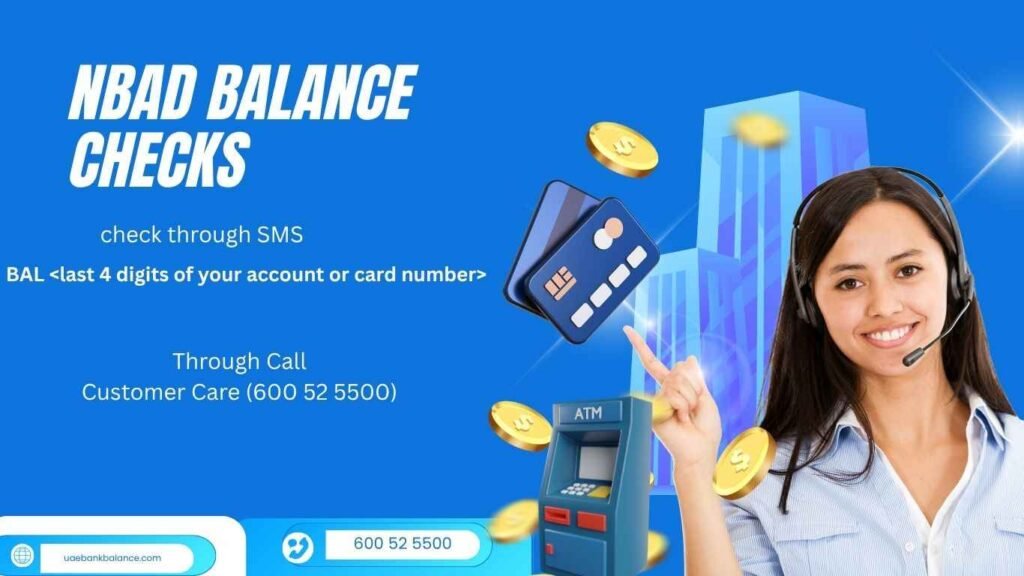

The National Bank of Abu Dhabi (NBAD), now part of First Abu Dhabi Bank (FAB), remains one of the UAE’s most respected financial institutions. For decades, NBAD helped residents, expatriates, and businesses manage their money securely. After its merger with First Gulf Bank (FGB), all NBAD accounts now operate under FAB — but many UAE residents still search online for “NBAD balance check”, especially when managing prepaid or salary cards.
In today’s digital-first world, knowing your NBAD/FAB account balance instantly is essential. Whether it’s your salary card, current account, or credit card, FAB offers a variety of digital and offline options to check your NBAD balance quickly and safely — from mobile apps to ATMs and customer service hotlines.
This guide explores every available method for NBAD balance check in the UAE, ensuring you have the right tools and steps no matter where you are — in Dubai, Abu Dhabi, Sharjah, Ajman, or beyond.
Summary
If you still have an NBAD-branded card or account, you can easily check your balance using FAB’s official digital platforms. The process remains smooth and identical — just under the FAB ecosystem now.
This article covers:
- How to check NBAD balance through FAB Mobile App and Online Banking
- Using ATMs and Cash Deposit Machines (CDMs)
- How to access your NBAD prepaid or salary card balance
- Contact numbers, troubleshooting tips, and fee details
Read More:
Explore related FAB services and balance guides:
- FAB Balance Check UAE
- FAB CDM Locations Across UAE
- FAB ATM Finder & Branch Directory
- FAB Branches Across the UAE
The Legacy of NBAD and Its Transition to FAB
Before becoming First Abu Dhabi Bank (FAB) in 2017, NBAD was the UAE’s oldest and most trusted bank, known for stability and innovation. When FAB emerged from the NBAD–FGB merger, the transition unified both systems into one powerful banking ecosystem.
Today, all NBAD account holders use FAB channels — but your old NBAD card, app, or login credentials may still work within the FAB environment.
So, whether your card says “NBAD” or “FAB,” you’re part of the same secure network.
Method 1: NBAD Balance Check via FAB Mobile App
In today’s fast-moving digital era, checking your bank balance shouldn’t require waiting in a queue or calling customer support. For NBAD customers — now part of First Abu Dhabi Bank (FAB) — the easiest and most efficient way to track your account in real time is through the FAB Mobile App.
This app brings your entire bank branch to your fingertips. From viewing balances to sending money internationally, paying bills, managing cards, or checking loan EMIs — everything can be done securely, anytime and anywhere.
What Is the FAB Mobile App?
The FAB Mobile App is the official digital banking platform by First Abu Dhabi Bank, designed to make everyday banking intuitive and instant. It’s available for both Android and iOS users and supports personal as well as Islamic accounts.
The app acts as the modern replacement for the old NBAD Mobile Banking system, offering enhanced security, faster login options, and richer account insights.
You can download it from:
- Google Play Store: FAB Mobile App for Android
- Apple App Store: FAB Mobile App for iOS
How to Register on the FAB Mobile App
To check your NBAD balance, you’ll first need to set up and register your account. Follow these simple steps:
- Download and Install the App
Search for “FAB Mobile” on your app store and install it. - Open the App and Tap “Register”
On the home screen, select “Register for Online Banking.” - Verify Your Identity
Enter your card number, card PIN, and Emirates ID number.
The app will send an OTP (One-Time Password) to your registered mobile number for verification. - Set Your Username and Password
Choose secure login credentials. You can also set up biometric login (Face ID or fingerprint). - Login and Access Dashboard
Once registered, log in to access your accounts, cards, and all related services.
How to Check Your NBAD Balance in the FAB Mobile App
After logging in, checking your balance takes only seconds.
Here’s the step-by-step process:
- Open the FAB Mobile App
Tap the app icon on your phone. - Login Securely
Use your fingerprint, Face ID, or password. - Go to “Accounts” Section
On the dashboard, select the “Accounts” tab. You’ll see all your NBAD (now FAB) accounts listed. - View Account Balance
Your available balance and total balance will appear instantly below your account name. - Tap for More Details
By tapping the account, you can view:- Last 10–20 transactions
- Account number and IBAN
- Branch details
- Balance trends (monthly insights)
- Check Credit Card or Ratibi Balance (if applicable)
Navigate to “Cards” to see your credit card balance or Ratibi prepaid card funds. - Use Quick View (Optional)
You can also enable “Quick Balance” — a feature allowing you to view your balance from the app’s home screen without logging in (secured by device fingerprint).
Features That Make FAB Mobile App Stand Out
| Feature | Description |
|---|---|
| Quick Balance | View your balance instantly without full login |
| Transfers | Send money locally or internationally via FAB MoneySend |
| Bill Payments | Pay DEWA, Etisalat, DU, and other bills |
| Card Controls | Freeze, unfreeze, or block cards instantly |
| eStatements | Download statements for any period |
| Digital Wallet Integration | Compatible with Apple Pay, Google Pay, Samsung Pay |
| Rewards Tracking | View FAB Rewards or NBAD Stars points |
Checking NBAD Ratibi Card Balance via FAB App
Many NBAD customers still use the Ratibi Salary Card — a prepaid card widely used for payroll distribution. You can now check your Ratibi card balance directly through the FAB Mobile App:
- Open the FAB Mobile App
- Select the “Prepaid Cards” section
- Choose your Ratibi card
- Tap “View Balance” — your available funds will appear instantly
Alternatively, visit the FAB Ratibi Balance Portal to check your Ratibi balance online using your card number and UID.
How to Enable Real-Time Balance Alerts
The FAB Mobile App lets you stay updated on every account movement by enabling push notifications and SMS alerts.
To activate:
- Tap “Settings” → “Notifications” → “Balance Alerts”
- Choose how you want to receive alerts (SMS, email, or push notification)
- You’ll instantly get updates whenever a transaction occurs, or your balance changes
This feature is invaluable for salary tracking, spending control, and fraud prevention.
Pro Tips for Using the FAB Mobile App Efficiently
- Use biometric login to save time and enhance security
- Enable dark mode for better readability and lower battery usage
- Check exchange rates directly within the app before sending money abroad
- Use the “Budget” feature to monitor your spending patterns
- Link multiple NBAD/FAB accounts for unified balance tracking
Security Highlights
FAB prioritizes digital security with multiple layers of protection:
- End-to-end encryption
- OTP verification for every transaction
- Instant card blocking for suspicious activity
- Biometric authentication for device-based logins
These features ensure your NBAD account information stays fully protected, whether you’re checking balances, transferring money, or managing cards.
Real Example: Checking Salary Credit via App
Imagine it’s the 25th of the month, and you’re expecting your salary from your employer. Instead of visiting a FAB branch or ATM, simply open the FAB app and:
- Tap “Accounts”
- Select your salary account
- View the latest transaction labeled “Salary Credit – [Company Name]”
You’ll instantly see your updated available balance and can even download a mini statement if needed for proof of payment.
Why the FAB Mobile App Is the Best NBAD Balance Check Option
- Instant access: Check anytime, anywhere
- All-in-one: Manage accounts, cards, and payments in one place
- Smart analytics: Get spending insights and saving recommendations
- Eco-friendly: Reduces paper use via eStatements
- Secure: Built with industry-leading encryption and authentication
Troubleshooting FAB Mobile App
| Issue | Possible Cause | Solution |
|---|---|---|
| Login error | Wrong credentials | Reset password via “Forgot Password” link |
| OTP not received | Network issue or wrong number | Restart device or update mobile number with FAB |
| App crash | Outdated version | Update the app from Play Store/App Store |
| Balance not updating | Network delay | Wait a few minutes or refresh the dashboard |
Real User Feedback
“I’ve been using the FAB Mobile App for two years now, and it’s incredibly convenient. I can check my NBAD account balance, pay bills, and transfer money in seconds — all without visiting a branch.” — Ahmed R., Dubai
“The Quick Balance feature is a lifesaver. I check my salary the moment it arrives!” — Mary A., Abu Dhabi
Accessibility Across the UAE
The app is fully supported across all seven emirates: Abu Dhabi, Dubai, Sharjah, Ajman, Fujairah, Ras Al Khaimah, and Umm Al Quwain.
It automatically adjusts to your region and language preferences — ensuring seamless use for both residents and expatriates.
Pro Tip: Enable push notifications to get real-time alerts whenever your salary or payment is deposited.
Method 2: NBAD Balance Check Through FAB Online Banking
For customers who prefer a computer or laptop over mobile apps, FAB Online Banking remains one of the most powerful and reliable ways to check your NBAD account balance in the UAE.
Whether you need to verify your salary deposit, review transactions, or download account statements, First Abu Dhabi Bank’s (FAB) online banking platform provides a complete digital experience. It’s especially popular among professionals, small business owners, and long-time NBAD users who migrated to FAB’s digital systems after the merger.
What Is FAB Online Banking?
FAB Online Banking (formerly NBAD eBanking) is a secure web-based platform that allows you to access and manage your NBAD and FAB accounts at any time. You can log in through the
The service offers a full suite of banking functions, including:
- Checking account and card balances
- Viewing and downloading transaction history or eStatements
- Paying bills and transferring funds
- Managing credit cards and loan details
- Updating profile and contact information
The platform combines convenience and security, making it one of the most trusted online banking systems in the UAE.
How to Register for FAB Online Banking
If you have not registered yet, you can easily set up access in a few minutes.
- Visit https://www.bankfab.com and click Login → Personal Online Banking.
- Select Register Now on the login page.
- Enter your NBAD or FAB card number, PIN, and Emirates ID.
- Verify your identity with the One-Time Password (OTP) sent to your registered mobile number.
- Create a username and password for secure login.
- Log in using your new credentials to access your account dashboard.
Once registered, your online banking profile will show all linked NBAD and FAB accounts.
How to Check Your NBAD Balance Online
After registration, checking your balance takes less than a minute.
- Go to https://www.bankfab.com/en-ae/personal.
- Click Login and enter your username and password.
- Complete the OTP verification step.
- On the dashboard, select your account to view the available and current balance.
- Click on the account name for full details, including recent transactions and salary deposits.
- Download monthly eStatements in PDF format if needed.
All information updates in real time, so your available balance and transaction history are always accurate.
Example: Checking a Salary Deposit
Suppose your salary is due on the 25th of every month. On that date:
- Log in to FAB Online Banking
- Select your salary account
- Review the recent transactions section
You might see a line like:
Salary Deposit – XYZ Company – AED 8,250 – October 25, 2026
This confirms that your salary has been successfully credited to your NBAD account.
What You Can Do in FAB Online Banking
| Feature | Description |
|---|---|
| Account Overview | View balances, linked accounts, and statements |
| Fund Transfers | Send money locally or internationally |
| Bill Payments | Pay Etisalat, DU, DEWA, and other utilities |
| Credit Card Management | Check due amount, credit limit, and payment history |
| eStatements | Download up to 12 months of statements |
| Standing Orders | Automate regular transfers or payments |
| Exchange Rates | Check live currency conversion rates |
| Profile Settings | Update your contact info and security options |
Security Features
FAB ensures top-tier digital security to protect your NBAD and FAB accounts with:
- Two-factor authentication (2FA) using OTPs
- Encrypted HTTPS communication
- Automatic logout after inactivity
- Real-time transaction alerts
- Virtual keyboard for safer logins
The platform follows global banking security standards, ensuring all customer data remains private and protected.
Common Issues and Solutions
| Issue | Reason | Solution |
|---|---|---|
| Login failure | Incorrect password or expired credentials | Use “Forgot Password” to reset |
| OTP not received | Weak network or outdated number | Recheck signal or update number at a branch |
| Missing account | Account not linked to online profile | Contact FAB customer support |
| Website not loading | Browser issue | Clear cache or switch to another browser |
Tips for Efficient Online Banking
- Bookmark the official FAB login page for quick access.
- Use a desktop browser for better visibility of all options.
- Always log out manually after finishing your session.
- Download statements monthly to keep a financial record.
- Avoid using public Wi-Fi for sensitive transactions.
Why Choose Online Banking for NBAD Balance Checks
- Instant visibility of all accounts and credit cards
- Available 24/7 from anywhere in the world
- Free to use, with no extra fees for balance inquiries
- Detailed insights into transactions and spending patterns
- Perfect for personal and corporate users
Whether you are an individual user, a freelancer, or a small business owner, online banking offers full control and transparency.
Real User Experience
“I used to rely on ATMs for balance checks, but now I just log in from my laptop and see all my NBAD and FAB accounts instantly. It’s fast and safe.” — Khalid M., Dubai
“I can download salary proofs and manage multiple accounts online without visiting a branch. It’s perfect for professionals.” — Ayesha R., Sharjah
Supported Across the UAE
FAB Online Banking is accessible to users in Abu Dhabi, Dubai, Sharjah, Ajman, Fujairah, Ras Al Khaimah, and Umm Al Quwain. The platform is optimized for all major browsers and can also be accessed abroad without restrictions.
Bonus Tip: You can also check credit card balances, pay bills, and download mini-statements here.
Method 3: NBAD Balance Check via ATM or CDM
One of the most direct and reliable ways to check your NBAD (now FAB) account balance in the UAE is through ATMs (Automated Teller Machines) and CDMs (Cash Deposit Machines). Whether you’re in Abu Dhabi, Dubai, Sharjah, or any other emirate, First Abu Dhabi Bank (FAB) maintains one of the country’s largest ATM and CDM networks—offering round-the-clock access to balance inquiries, cash deposits, withdrawals, and other essential banking services.
Understanding the Difference: ATM vs CDM
Before diving into how to check your NBAD balance, it helps to understand the difference between ATMs and CDMs:
- ATM (Automated Teller Machine): Used mainly for cash withdrawals, balance inquiries, mini statements, and PIN changes.
- CDM (Cash Deposit Machine): Allows you not only to check balances but also to deposit cash directly into your NBAD/FAB account, credit card, or another FAB account instantly.
Both machines connect to the same FAB network, so NBAD customers can use either to check balances and manage accounts securely.
Step-by-Step: NBAD Balance Check via ATM
Checking your NBAD account balance at a FAB ATM is quick and simple. Here’s how:
- Visit any nearby FAB ATM.
You’ll find FAB machines at malls, petrol stations, business districts, and near major landmarks. - Insert your NBAD or FAB Debit Card.
Both NBAD-branded and FAB cards are accepted since the merger unified all systems. - Select your preferred language.
English and Arabic options are available for convenience. - Enter your 4-digit PIN.
Always cover the keypad for security while entering your PIN. - Select “Balance Inquiry.”
The ATM will display your available and current balance on-screen instantly. - Print the receipt (optional).
You can choose to print your balance slip for recordkeeping or expense tracking.
Your balance will show the available funds after pending transactions and will update in real time.
Step-by-Step: NBAD Balance Check via CDM
If you’re near a Cash Deposit Machine, you can also check your balance and even deposit funds into your account.
- Locate a nearby FAB CDM.
Many FAB branches have dedicated CDMs open 24/7. - Insert your NBAD/FAB Debit or Credit Card.
The system will recognize your account automatically. - Select “Balance Inquiry” from the main menu.
Your balance appears on the screen within seconds. - (Optional) Deposit Cash.
You can add cash to your account and see the updated balance immediately after the transaction. - Take your printed receipt.
The slip includes your balance and transaction confirmation for reference.
Example Scenario
Imagine you’re in Dubai Mall and need to quickly verify your balance before making a large purchase. You find a FAB CDM near the parking area:
- Insert your NBAD debit card
- Enter your PIN and select “Balance Inquiry”
- The screen displays:
Available Balance: AED 7,420.15
Current Balance: AED 7,420.15
Within seconds, you have confirmation—no branch visit, no app required.
Benefits of Using FAB ATMs & CDMs
| Benefit | Description |
|---|---|
| Convenience | Thousands of locations across all Emirates |
| 24/7 Access | Available any time, even on holidays |
| Instant Updates | Real-time balance visibility |
| No Internet Required | Perfect for users without smartphone access |
| Multilingual Support | English, Arabic, and sometimes Hindi interfaces |
| Deposit & Withdraw | CDMs allow immediate deposits and balance refresh |
These advantages make FAB’s ATM/CDM network especially useful for workers, travelers, and residents who prefer physical banking.
Where to Find FAB ATMs and CDMs
FAB has strategically placed ATMs and CDMs across all seven Emirates, covering both urban and residential areas. Below are key locations in each emirate:
Dubai
- FAB ATM – Mall of the Emirates
View on Google Maps - FAB CDM – Dubai Mall
View on Google Maps - FAB ATM – Deira City Centre
View on Google Maps
Abu Dhabi
- FAB Main Branch ATM – Hamdan Street
View on Google Maps - FAB CDM – Marina Mall Abu Dhabi
View on Google Maps - FAB ATM – Mushrif Mall
View on Google Maps
Sharjah
- FAB CDM – Al Wahda Street Branch
View on Google Maps - FAB ATM – Mega Mall
View on Google Maps
Ajman
- FAB ATM – Ajman City Centre
View on Google Maps
Fujairah
- FAB CDM – Fujairah City Centre
View on Google Maps
Umm Al Quwain
- FAB ATM – King Faisal Street Branch
View on Google Maps
Ras Al Khaimah
- FAB CDM – Al Nakheel Branch
View on Google Maps
Each location supports balance checks, withdrawals, and deposits for NBAD and FAB customers alike.
Security Tips When Using ATMs & CDMs
- Cover your PIN — Always shield the keypad when entering your code.
- Avoid suspicious devices — Never use a machine that looks tampered with.
- Use machines in well-lit areas — Especially at night.
- Take receipts — Helps track transactions.
- Report issues immediately — If the machine keeps your card or malfunctions, contact FAB customer service at 600 52 5500.
Why Choose ATM/CDM for NBAD Balance Checks
Multilingual interface ensures accessibility for all UAE residents Faisal Street
Works even without mobile data or app access
Ideal for quick checks before cash withdrawals or deposits
Supported across all Emirates with consistent service
Real-time reflection of balance and transactions
Each location is equipped with balance inquiry and cash deposit functionality.
Method 4: NBAD (FAB) Prepaid or Salary Card Balance Check
For many UAE residents—especially employees under company payroll systems—the NBAD (now FAB) Prepaid or Salary Card is the primary way they receive and access monthly wages. This card is part of the Wages Protection System (WPS) introduced by the UAE Central Bank to ensure secure, timely salary payments.
Whether you’re a construction worker, domestic helper, delivery driver, or office staff, your FAB Salary Card lets you receive, withdraw, and spend your salary safely without needing a traditional bank account. Checking your card balance regularly helps you manage expenses, confirm salary deposits, and plan withdrawals efficiently.
What Is an NBAD / FAB Prepaid or Salary Card?
The NBAD Prepaid Card, now rebranded under FAB (First Abu Dhabi Bank), is a reloadable payroll card. Your employer deposits your salary into this card each month, and you can use it like a debit card—
to withdraw cash, make payments, or check your balance.
Unlike standard bank accounts, prepaid cards do not require a minimum balance, account opening documents, or credit checks. They are designed for employees who may not have full banking relationships but still need digital access to their funds.
Key Features of the FAB Salary Card
| Feature | Description |
|---|---|
| WPS-Linked | Direct salary deposits under the UAE Wages Protection System |
| ATM Access | Withdraw cash or check balance at any FAB ATM |
| Online Access | View balance and transactions through the FAB Salary Card Portal |
| SMS Alerts | Receive SMS notifications for every salary deposit |
| No Bank Account Needed | Perfect for employees without personal accounts |
| Accepted Everywhere | Use at ATMs, CDMs, and shops with Mastercard or Visa logos |
These cards are highly secure, convenient, and compliant with UAE labor regulations—making them an essential financial tool for thousands of workers.
How to Check NBAD / FAB Salary Card Balance
You can check your FAB Salary Card balance in four simple ways, depending on your convenience and device access.
1. Online via the FAB Prepaid Portal
FAB offers a dedicated Prepaid Card Online Portal for NBAD/FAB Salary Cards.
Follow these steps:
- Visit the official portal: https://www.bankfab.com
- Enter the last two digits of your card number and Card ID printed on the card.
- Complete the CAPTCHA verification to confirm you’re human.
- Click Go.
The portal instantly displays your:
- Current card balance
- Last salary deposit date
- Recent transactions
- Available funds for withdrawal
This method is the easiest and most widely used across the UAE.
2. Through FAB Mobile App
If your prepaid card is registered with FAB’s digital banking system, you can check your balance through the FAB Mobile App:
- Download the FAB Mobile App (available on Android and iOS).
- Log in using your credentials.
- Tap on Prepaid Cards under your account summary.
- View your balance and recent activity.
Note: Some salary cards are not automatically linked to mobile banking. In such cases, the online prepaid portal is the correct method to use.
3. At Any FAB ATM or CDM
Checking your balance through FAB ATMs or CDMs is quick and convenient:
- Insert your FAB Salary Card.
- Enter your 4-digit PIN.
- Select Balance Inquiry.
- View your available and current balance on-screen or print a receipt.
This is ideal for users who prefer physical access or do not have smartphones or internet connectivity.
4. Via SMS Notification (Auto or On-Demand)
Most FAB Salary Cards automatically send an SMS alert when your salary is deposited. However, you can also request a manual SMS balance check if your card supports it.
Simply type your card’s last four digits and send it to the FAB’s SMS banking number (as printed on your card’s back). You’ll receive your current available balance in seconds.
Note: SMS balance features may vary by card type or employer setup.
Example: Checking Salary for a WPS Worker
Ali, a warehouse worker in Sharjah, receives his salary each month through his FAB Salary Card.
- On payday, he gets an SMS alert:
“AED 2,500 credited to your FAB Salary Card ending 3921.” - He visits https://bankfab.com and enters his Card ID.
- Within seconds, the screen shows:
Available Balance: AED 2,500
Last Transaction: Salary Deposit – Oct 25, 2026
Ali can now plan withdrawals or card payments with confidence.
Benefits of Using the FAB Prepaid or Salary Card
| Benefit | Description |
|---|---|
| No Hidden Charges | Free balance inquiries and deposits |
| Instant Access | Salary available immediately upon deposit |
| Secure & Regulated | Managed under UAE Central Bank’s WPS guidelines |
| 24/7 Access | Available across all Emirates |
| Multilingual Support | English, Arabic, Hindi, Urdu |
| Works Like a Debit Card | Pay at POS, withdraw from ATMs, or check balance anytime |
Common Issues & Troubleshooting
| Problem | Reason | Solution |
|---|---|---|
| Cannot access online portal | Typing incorrect Card ID or number | Double-check details printed on card |
| No SMS alert received | Outdated mobile number | Contact HR or FAB to update |
| ATM not showing balance | Network issue or card error | Try another FAB ATM |
| Incorrect balance displayed | Pending transactions not yet updated | Check again after 30–60 minutes |
For persistent issues, users can call FAB Customer Care: 600 52 5500 (within UAE).
Security Tips for Salary Card Users
- Never share your Card ID or PIN with anyone.
- Use only official portals like https://bankfab.com.
- Always log out after checking your balance online.
- Avoid checking balances on shared or public devices.
- Contact FAB immediately if your card is lost or stolen.
Why Salary Cards Matter for UAE Workers
Salary cards have transformed how wages are handled in the UAE. With the Wages Protection System (WPS), every registered worker receives payment electronically, ensuring transparency, timely deposits, and protection against unpaid wages.
FAB’s salary cards—originally issued by NBAD—are among the most trusted in the UAE, backed by the bank’s strong compliance and customer service.
For employers, they simplify payroll distribution. For employees, they provide dignity, security, and control over personal finances.
Note: If your salary doesn’t show, check with your HR team — some payrolls take 24 hours to reflect.
Method 5: NBAD Balance Check via Phone Banking (IVR System)
If you prefer human interaction or want a quick, voice-based balance update, the NBAD (now FAB) phone banking service — also known as the Interactive Voice Response (IVR) system — is a reliable and secure way to check your account balance anytime.
This method doesn’t require internet access or app installation. Whether you’re traveling, working in a remote area, or using a basic mobile phone, the IVR service ensures you can still access your NBAD or FAB account balance, card details, and even request mini statements over the phone.
Why Use Phone Banking (IVR)?
- Works 24/7 — even on weekends and public holidays
- Requires no internet or smartphone
- Ideal for customers who prefer voice menus or personal assistance
- Supports both NBAD and FAB account and card services
- Allows you to connect with a live customer service agent for advanced help
Phone banking is especially useful when the mobile app isn’t accessible, or when you’re abroad and want to hear your balance directly from an official FAB system.
Steps to Check Your NBAD Balance via Phone Banking
- Call the Official FAB Customer Care Number
Dial 600 52 5500 from within the UAE.
(If you are outside the UAE, call +971 2 6811511). - Select Your Language
The system will greet you and ask you to choose your preferred language — English or Arabic. - Authenticate Yourself
Enter your Customer Number, Card Number, or Emirates ID when prompted.
This helps the system locate your account and confirm your identity. - Choose the Balance Inquiry Option
From the main menu, select “Balance Inquiry” or say “Check Balance” when the system prompts you. - Listen to Your Account Details
The IVR will read your available balance, last transaction amount, and sometimes your credit limit (for credit cards). - Request More Information (Optional)
You can press the number for additional details such as:- Recent transactions
- Mini statements
- Credit card due amount
- Card activation or blocking options
- Speak to a Live Agent (Optional)
If you prefer talking to a customer service representative, press the option to “Speak to an Agent” anytime during the call.
Example IVR Menu Flow
Call FAB (600 52 5500) →
“Press 1 for Arabic, 2 for English” →
“Press 1 for Accounts, 2 for Cards, 3 for Loans” →
“Press 1 to Check Balance” →
Enter your card number or customer ID →
→ Your current available balance is read aloud.
What You Can Do Through FAB Phone Banking
The IVR system allows you to perform multiple self-service tasks:
| Action | Description |
|---|---|
| Balance Inquiry | Hear your latest available balance |
| Credit Card Enquiry | Listen to outstanding dues, available credit, and due dates |
| Mini Statement | Hear your last few transactions |
| Block Card | Report lost or stolen cards instantly |
| Loan/Account Info | Get details about existing products |
| Talk to Agent | Speak to a FAB representative for custom help |
International & Dedicated Lines
FAB also offers dedicated phone numbers for different customer categories:
- UAE General Support: 600 52 5500
- International Calls: +971 2 6811511
- Ratibi / Salary Card Support: 600 52 2298
- International Ratibi Line: +971 2 499 6279
These lines are staffed with multi-language support — ideal for expatriates living across the UAE.
Security Tips for Phone Banking
- Always call from your registered mobile number for faster verification.
- Never share OTP codes, PINs, or passwords over a call — even if the caller claims to be from FAB.
- Ensure you’re calling the official FAB hotline — never trust numbers received via SMS or WhatsApp.
- End the call immediately if asked for sensitive information not required for balance inquiry.
Real-Life Use Case Example
Imagine you’re traveling from Abu Dhabi to Al Ain and need to confirm if your salary has arrived — but you’re in an area with poor internet. By dialing 600 52 5500, you can:
- Authenticate your card or Emirates ID
- Hear your balance instantly
- Confirm whether your company’s payroll has been credited
—all in less than two minutes.
This makes IVR a lifeline for on-the-go professionals, drivers, and workers who rely on real-time balance updates.
Example IVR Message
“Dear customer, your account ending in 4321 has an available balance of AED 7,850. Your last transaction was a salary deposit of AED 7,500 on 20 October 2026.”
Simple, secure, and precise — just what most users need.
Fees & Access Details
| Service | Cost |
|---|---|
| Balance Inquiry via IVR | Free |
| Speaking with a Live Agent | Free |
| International Call Charges | Based on your mobile carrier |
There are no bank fees for checking your balance through phone banking. The only cost may be standard carrier rates if you’re calling from outside the UAE.
Troubleshooting Phone Banking Issues
| Issue | Possible Cause | Solution |
|---|---|---|
| Call not connecting | Network or line issue | Try again or call alternate number |
| Account not recognized | Using unregistered mobile number | Call from registered phone or verify identity with Emirates ID |
| Balance not updated | Recent transaction delay | Wait a few hours and call again |
| OTP not received | SIM not active or network delay | Restart phone or check network signal |
Advantages of Using IVR for NBAD Balance Check
Bilingual menus: English and Arabic available for convenienceess or when traveling abroad.
Universal access: Works from any phone
No app needed: Saves mobile data and storage
Secure and official: Directly connected to FAB’s system
Human support: Option to talk to a live agent anytime
Method 6: NBAD Balance Check via SMS
If you prefer a quick and offline way to know your balance — without opening the app, logging in online, or visiting an ATM — the SMS Banking service is one of the simplest and most convenient methods. This feature, originally launched under NBAD, continues under the FAB (First Abu Dhabi Bank) platform, allowing users to check balances, receive instant alerts, and monitor transactions anytime, anywhere in the UAE.
Why Use SMS Banking?
SMS Banking is ideal for users who:
- Don’t have internet access or smartphones.
- Want instant balance updates after each transaction.
- Prefer to keep a text record of their activity for future reference.
- Hold Ratibi salary cards or prepaid cards and need quick access to funds info.
It’s especially useful for employees who receive salaries on NBAD/FAB prepaid cards, as SMS alerts help confirm when their salary has been deposited.
Steps to Check NBAD/FAB Balance via SMS
- Ensure Your Mobile Number Is Registered:
Your UAE mobile number must be registered with FAB. If your number has changed, update it at any FAB branch or through customer care. - Activate SMS Banking (if not already):
You can activate SMS Banking via:- The FAB Mobile App (under “Services → SMS Alerts”).
- FAB Online Banking.
- Customer Care (600 52 5500) or by visiting a branch.
- Send the SMS Command:
Once registered, simply send an SMS in the following format:BAL <last 4 digits of your account or card number>Send this SMS to 2121 (FAB’s official short code for UAE users). Example:BAL 1234Within seconds, you’ll receive a reply with your current available balance. - Receive Your Balance Instantly:
You’ll get an SMS from FAB showing your available balance, account type, and sometimes last transaction details.
Example SMS Reply:
FAB: Account ending 1234
Available Balance: AED 3,427.56
Last Transaction: AED 500 Debit (ATM Withdrawal)
This makes it extremely easy to confirm your funds without internet access — perfect for workers in remote job sites, drivers, or anyone who needs a fast update.
SMS Alerts and Notifications
In addition to manual balance inquiries, FAB’s SMS Banking also automatically sends:
- Salary deposit alerts
- ATM withdrawals and POS payments
- Credit card spending alerts
- Loan repayment reminders
- Security notifications for suspicious activity
You can choose which alerts you want to receive and disable others through your FAB app settings or by calling the bank.
Managing SMS Preferences
You can customize your SMS alerts anytime:
- Log in to your FAB Mobile App → “Profile Settings” → “SMS Alerts.”
- Select categories (e.g., Salary, Card Transactions, Transfers).
- Save changes to ensure you only receive messages relevant to you.
💬 Tip: If you don’t receive any SMS, ensure your mobile number is active and linked to your bank profile. Prepaid mobile plans sometimes block bank messages if out of credit, so keep your line topped up.
Are There Any Fees for SMS Banking?
- FAB to FAB or NBAD account balance checks: Free.
- Automated SMS alerts: Usually free, though some telecom operators may charge a minimal fee (like 25 fils per message).
- International SMS delivery: May incur your carrier’s standard rates if you’re roaming.
Troubleshooting NBAD/FAB SMS Balance Issues
| Problem | Possible Cause | Solution |
|---|---|---|
| No reply received | Unregistered number | Register/Update your number with FAB |
| Invalid message error | Wrong format used | Type BAL + last 4 digits only |
| SMS delayed | Network or carrier delay | Wait a few minutes and resend |
| Balance not updating | Payroll delay or system sync | Recheck after 24 hours |
If issues persist, call FAB Customer Care: 600 52 5500 or visit the nearest FAB branch to re-enable your SMS banking service.
Best Use Cases for SMS Balance Checks
- Quick confirmation after salary deposits.
- Checking Ratibi prepaid card balance before cash withdrawal.
- Monitoring card usage when internet or app access is unavailable.
- Receiving immediate alerts for all transactions for enhanced security.
Why Checking NBAD Balance Regularly Matters
Regular balance checks are more than routine — they help you:
- Detect unauthorized transactions early
- Track salary credits and expenses
- Avoid overdraft fees
- Plan for upcoming bills or transfers
- Maintain financial discipline
Troubleshooting Common NBAD Balance Issues
Balance not showing?
- Wait for the next update cycle or recheck after 24 hours.
- Confirm your employer processed payroll.
- Ensure your card is activated and not expired.
App login failure?
- Update the app or reinstall it.
- Use “Forgot Password” to reset credentials.
ATM error?
- Try another nearby FAB ATM or call 600 52 5500.
FAQs – NBAD Balance Check UAE
Q1: Is my old NBAD card still valid?
Yes. NBAD cards still function under FAB’s network until replaced with new FAB-branded cards.
Q2: Can I check NBAD balance without the internet?
Absolutely. Use an ATM, CDM, or phone banking option.
Q3: How long does it take for salary to appear on NBAD prepaid cards?
Usually within 24 hours after the employer’s transfer is processed.
Q4: What’s the fastest way to check my NBAD balance?
The FAB Mobile App provides instant balance visibility 24/7.
Q5: Can I access NBAD balance abroad?
Yes. Log in through the FAB app or website securely from anywhere in the world.
Final Thoughts
Whether you call it NBAD balance check or FAB balance check, the experience in 2026 is faster, smarter, and fully digital. From app-based solutions to reliable ATMs and salary card portals, FAB ensures that every former NBAD customer can manage their money effortlessly across the UAE.
Regular balance checks not only protect your finances but also help you stay informed in a dynamic economy where every dirham counts.
For more local financial insights, step-by-step guides, and UAE banking updates, visit Uaebankbalance.com — your trusted source for everything banking, business, and lifestyle across the Emirates.