Mashreq Bank Mobile App – Download, Login, Features, Balance Check, Registration & Full UAE Guide
Managing your bank account in the UAE is now easier than ever with the Mashreq Bank Mobile App. Instead of visiting a branch or waiting on calls, you can control your entire banking experience directly from your phone.
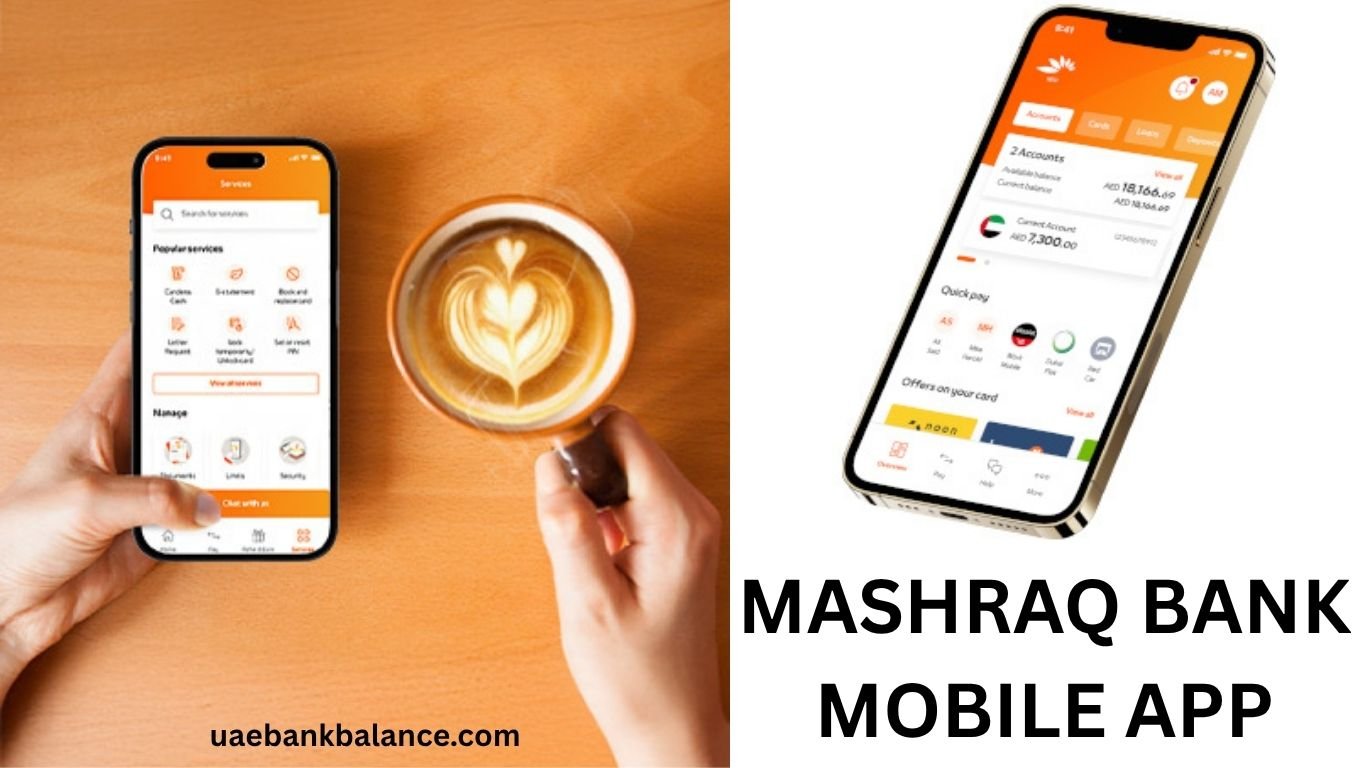
The official mobile app by Mashreq allows you to check balance, transfer money, pay bills, manage cards, and much more — anytime, anywhere.
Many users search for:
- Mashreq mobile app download
- Mashreq bank app login
- Mashreq balance check mobile app
- Mashreq app not working
This complete guide covers everything you need, including download steps, login process, features, benefits, troubleshooting, and security tips.
What is Mashreq Bank Mobile App
The Mashreq mobile app is a secure digital banking application designed for customers in the UAE and internationally.
You can use it to:
Check your account balance
Transfer money
Pay bills
Manage debit and credit cards
View transactions
Access customer support
It is available for both Android and iPhone users.
Mashreq Mobile App Download (Android & iPhone)
You can download the official app from trusted stores.
Steps to Download
Open Google Play Store or Apple App Store
Search for Mashreq Bank App
Select the official app by Mashreq
Click Install
Open the app after installation
Important Tip
Always download from official stores to avoid fake apps.
How to Register on Mashreq Mobile App
If you are a new user, you need to register first.
Registration Steps
Open the app
Click Register
Enter your account or card details
Verify your mobile number with OTP
Create username and password
Set MPIN or biometric login
After registration, you can log in anytime.
Mashreq Mobile App Login Process
Logging in is simple and secure.
Steps
Open the app
Enter username
Enter password or MPIN
Complete OTP verification (if required)
Access your account dashboard
You can also enable fingerprint or face ID login.
Mashreq Balance Check Using Mobile App
One of the most common uses is checking your balance.
Steps
Log in to the app
Go to Accounts section
Select your account
View available balance
You can also check recent transactions instantly.
Main Features of Mashreq Mobile App
Mashreq provides a wide range of features.
Banking Features
Real-time balance check
Mini statements
Full transaction history
Download account statements
Money Transfer
Transfer within Mashreq
Transfer to other UAE banks
International remittance
Bill Payments
DEWA bills
Etisalat payments
DU payments
Credit card bills
Card Management
Activate debit/credit card
Block or unblock card
Set spending limits
Change PIN
Additional Services
Cheque book request
Account updates
Customer service access
All services are available 24/7.
How to Transfer Money Using Mashreq App
Steps
Login
Select Transfer Money
Add beneficiary
Enter amount
Confirm transaction
Transfers are processed quickly and securely.
How to Pay Bills Using Mashreq App
Steps
Open app
Go to Bill Payments
Select service provider
Enter details
Confirm payment
This helps avoid late payment penalties.
Mashreq Mobile App Security Features
Security is very strong.
Security Options
OTP verification
MPIN login
Biometric login (fingerprint/face ID)
Auto logout
Fraud monitoring
Safety Tips
Never share your login details
Do not share OTP
Use secure internet connection
Always log out after use
Common Problems and Solutions
App Not Working
Update the app
Restart your phone
Check internet connection
Login Issues
Check username and password
Reset password
Clear app cache
OTP Not Received
Check mobile network
Wait and retry
Contact customer care
Mashreq Mobile App Charges
Most services are free.
Possible Charges
International transfer fees
Currency conversion charges
Special service fees
Basic services like balance check are free.
Mashreq Customer Care for App Issues
If you face issues, contact Mashreq.
Customer Care Numbers
UAE: 600 52 4444
International: +971 4 424 4444
Available 24/7.
Benefits of Using Mashreq Mobile App
No need to visit the branch or the website
Available anytime
Fast transactions
Easy to use
Secure system
Time-saving
Perfect for UAE residents and expats.
Comparison with Other UAE Banking Apps
Mashreq app competes with:
Emirates NBD app
Dubai Islamic Bank app
Abu Dhabi Commercial Bank app
All provide similar services, but Mashreq app is known for fast and user-friendly interface.
Who Should Use Mashreq Mobile App
Salary account holders
Business users
Credit card users
Expats managing finances
It is ideal for anyone who wants quick banking access.
Other Helpful Guides
You can also explore:
Dubai Islamic Bank digital banking
Frequently Asked Questions
How to download Mashreq mobile app
Download from Play Store or App Store.
Is Mashreq mobile app free
Yes, it is free to download and use.
Can I check balance using app
Yes, you can check balance instantly.
What to do if app is not working
Update app or contact support.
Is Mashreq app safe
Yes, it uses advanced security features.