HSBC ATM
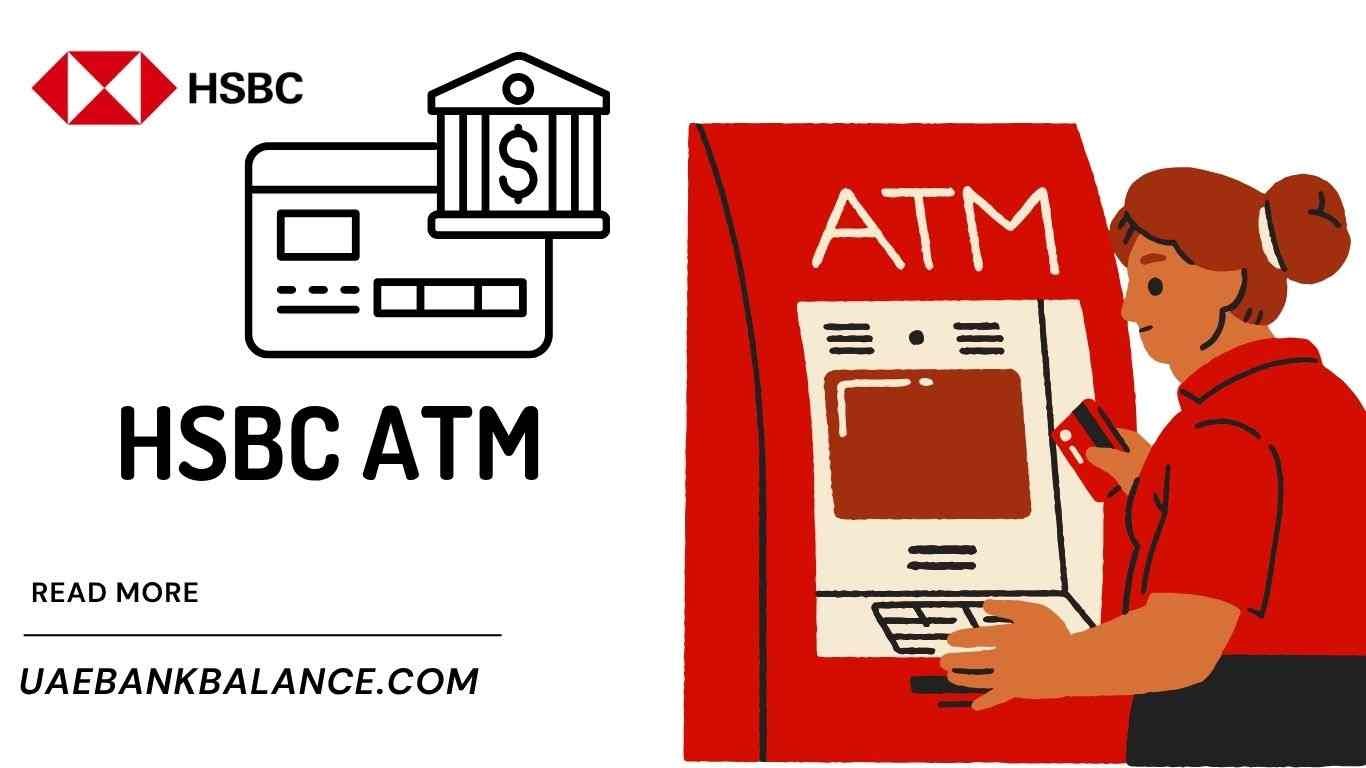
Finding a reliable banking partner in the UAE means choosing a bank that offers both digital convenience and strong branch-level support. HSBC is one of the most established international banks in the UAE, and the HSBC ATM network plays a major role in delivering seamless everyday banking services to residents, expatriates, and businesses.
Whether you need to withdraw cash, deposit cheques, check account details, or make international banking transactions, HSBC ATMs are strategically located across the UAE to support customer needs. This guide covers everything you need to know about HSBC ATMs in the UAE, including features, limits, charges, smart deposit machines, 24/7 ATM access, security tips, and more.
Why HSBC ATMs Are Popular in the UAE
HSBC ATMs are widely used due to:
- 24/7 banking convenience
- International banking capabilities
- Multi-language interface options (English, Arabic)
- Strong network in key UAE cities
- Cash withdrawal in multiple currencies (at select ATMs)
- Advanced digital banking integration
Whether you live in Dubai, Abu Dhabi, Sharjah, or any other emirate, the bank continues expanding its ATM footprint to support account holders and global travelers.
Where Will You Find HSBC ATMs in the UAE?
HSBC maintains ATMs across all major UAE emirates, especially in:
- Major malls and shopping centers
- Business districts and commercial zones
- Residential community hubs
- HSBC branches and smart centers
- Airports (Dubai and Abu Dhabi terminals)
- Metro and transport hubs (selected locations)
- Corporate buildings and free zones
Even though HSBC does not have the largest ATM network in the UAE compared to local banks, its ATM coverage is strategically placed in high-demand areas.
Services Available at HSBC ATMs
HSBC ATMs offer more than basic cash withdrawal. Customers can perform most everyday banking tasks instantly including:
Core Services
- Cash withdrawals (AED)
- Balance inquiry
- Mini-statement printing
- PIN change
- Account details check
Smart Banking Services (at eligible ATMs)
- Cheque deposit
- Cash deposit (AED)
- Funds transfer between HSBC accounts
- Credit card bill payments
- Prepaid card reload (where applicable)
Card Services
- Replace or activate card via ATM (in select machines)
- Block lost or stolen card option (via menu)
International Banking Convenience
- Foreign card withdrawals
- International HSBC account access
- Ability to withdraw in foreign currency (very limited locations)
These features make HSBC ATMs suitable for both local and international account users.
Types of HSBC ATMs in the UAE
| ATM Type | Features | Ideal For |
|---|---|---|
| Standard ATM | Cash withdrawal, balance check, mini-statement, PIN services | Everyday banking |
| Smart/Deposit ATM | Cash and cheque deposit, transfers, credit card payments | Salary depositors, business users |
| Multi-Currency ATM (limited) | Withdraw foreign currency (where available) | Travelers and expatriates |
| Airport ATMs | 24/7 access | Frequent flyers |
| HSBC Branch ATM | Full-service ATM inside branch | Walk-in customers |
How to Use HSBC ATMs in the UAE
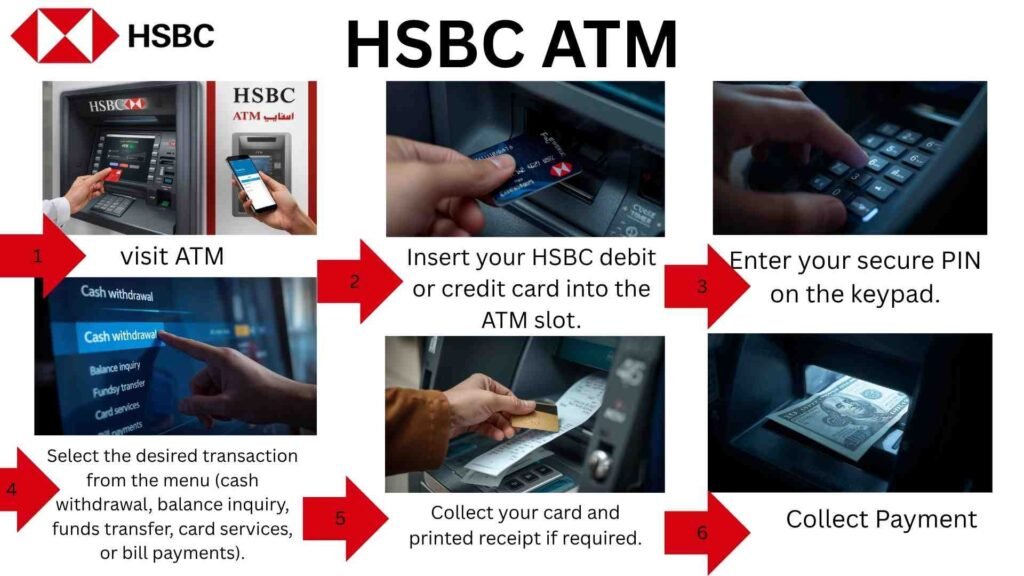
Using HSBC ATMs in the UAE is straightforward and designed for both traditional card users and customers who prefer digital banking tools. Here is a step-by-step guide on how to use HSBC ATMs efficiently:
Using Your HSBC Debit or Credit Card
Customers with an HSBC debit or credit card can carry out standard ATM transactions easily. The process includes:
- Insert your HSBC debit or credit card into the ATM slot.
- Enter your secure PIN on the keypad.
- Select the desired transaction from the menu (cash withdrawal, balance inquiry, funds transfer, card services, or bill payments).
- Follow on-screen prompts to complete the transaction.
- Collect your card and printed receipt if required.
This method is ideal for customers who prefer physical banking tools or when digital wallet functionality is not available.
Using Digital Card or HSBC Mobile Banking (Tap-and-Go Access)
Many modern HSBC ATMs support contactless access through digital wallets and the HSBC mobile banking app. This provides a fast and secure touchless banking experience.
Steps include:
- Open your HSBC mobile banking app or digital wallet (Apple Pay, Google Wallet, or Samsung Pay if linked to your HSBC card).
- Hold your mobile device or smartwatch near the contactless reader on the ATM.
- Authenticate using face recognition, fingerprint, or device passcode.
- Select your transaction type on-screen and proceed as normal.
This feature is particularly useful if you forget your physical card, prefer a digital banking lifestyle, or want faster ATM access.
Which Transactions Can Be Performed?
Both physical and digital card users can typically:
- Withdraw cash
- View balance and mini statement
- Change card PIN
- Transfer funds (where available)
- Pay HSBC credit card bills
- Deposit cash or cheques (at smart ATMs)
Security Tips When Using HSBC ATMs
- Always shield your PIN when entering it
- Do not share card or app login details
- Ensure your phone’s secure lock is enabled for digital banking
- Retrieve your card before leaving the ATM
- Report unusual ATM behavior immediately to HSBC support
Using HSBC ATMs in the UAE is fast, secure, and designed to accommodate all types of banking habits — from traditional card banking to mobile-first users.
Cash Deposit Process
- Insert ATM card
- Select Deposit
- Insert cash (no envelope needed)
- Confirm receipt
Cheque Deposit Process
- Insert cheque
- Enter details on screen
- Receive confirmation slip
Deposited cheques clear within standard UAE banking timelines.
HSBC ATM Withdrawal Limits in the UAE
Most HSBC customers receive:
- AED 10,000 – AED 20,000 per day withdrawal limit (default)
- Higher limits available for Premier and Advance customers
Credit card cash advance limits depend on the card product.
HSBC ATM Fees and Charges
Free Services
- Cash withdrawal at HSBC ATMs
- Balance inquiry at HSBC ATMs
- Local savings/current account access
Possible Fees
| Service | Fee Estimate |
|---|---|
| Using non-HSBC UAE ATM | Network fee may apply |
| International ATM withdrawal | Bank + network fee |
| Foreign currency withdrawal | Exchange charges |
HSBC ATM Cash Deposit Machines (CDM)
At HSBC CDM-enabled ATMs, customers can:
- Deposit cash instantly
- Deposit cheques
- Make card payments
- Transfer funds
Useful for:
- Salary deposits
- Business deposits
- Emergency payments after hours
HSBC ATM for International Cardholders
Visitors and expatriates can withdraw cash in AED using international cards like:
- Visa
- Mastercard
- UnionPay (selected machines)
Conversion charges may apply based on card issuer.
HSBC ATM Security Features
HSBC ATMs include:
- Anti-skimming technology
- CCTV monitoring
- Chip and PIN security
- Emergency report options
- Transaction monitoring systems
Safety Tips When Using HSBC ATMs
- Shield your PIN
- Avoid sharing card details
- Use ATMs in secure areas
- Enable SMS alerts
- Report suspicious machines
- Do not leave if card is jammed
HSBC ATM vs Branch Banking
| Feature | HSBC ATM | HSBC Branch |
|---|---|---|
| Availability | 24/7 | Office hours |
| Cash Withdrawal | Yes | Yes |
| Deposits | Yes (smart ATMs) | Yes |
| Account Opening | No | Yes |
| Loan or Advisory | No | Yes |
Common ATM Issues & Solutions
| Issue | Solution |
|---|---|
| Cash deducted but not dispensed | File claim via app or call center |
| Card not accepted | Try another ATM / contact bank |
| PIN blocked | Reset via online banking or branch |
| ATM out of service | Use nearest ATM |
HSBC ATM Customer Support Options
- HSBC Mobile Banking App
- Call Center
- Branch Visit
- Live Chat
FAQs
Can I deposit cash at all HSBC ATMs?
Only at smart deposit ATMs.
Can I use non-HSBC ATMs?
Yes, fees may apply.
Do HSBC ATMs accept international cards?
Yes, most do.
Do deposit ATMs accept cheques?
Yes.
How do I increase my withdrawal limit?
Request via app, call center, or branch.
Conclusion
HSBC ATMs deliver secure, fast, and convenient banking access across the UAE. With services like cash withdrawal, cheque and cash deposit, balance check, card services, and international card support, they play a key role in everyday banking for residents, expats, and visitors.
HSBC continues expanding and upgrading its ATM network, ensuring reliable service and strong digital banking integration.