HDFC Balance Check
Checking your bank balance regularly helps you manage your money, track expenses, and avoid insufficient funds. If you are an account holder of HDFC Bank, there are several easy ways to check your account balance. Whether you are in India or living abroad in the UAE, the bank provides multiple digital and offline options.
This guide explains all the available HDFC balance check methods, including SMS banking, missed call service, mobile banking, internet banking, ATM balance enquiry, and customer care support. Each method is simple, secure, and available to registered customers.
What is HDFC Balance Check
HDFC balance check means verifying the current amount available in your HDFC bank account. This includes your savings account, current account, or NRI account balance. When you check your balance, you can see the remaining funds after deposits, withdrawals, and transactions.
Regular balance checks help customers:
• Monitor transactions
• Avoid overdrafts
• Track salary or deposits
• Manage monthly expenses
• Detect unauthorized transactions early
HDFC Bank offers several ways to check balance instantly using phone, internet, or ATM services.
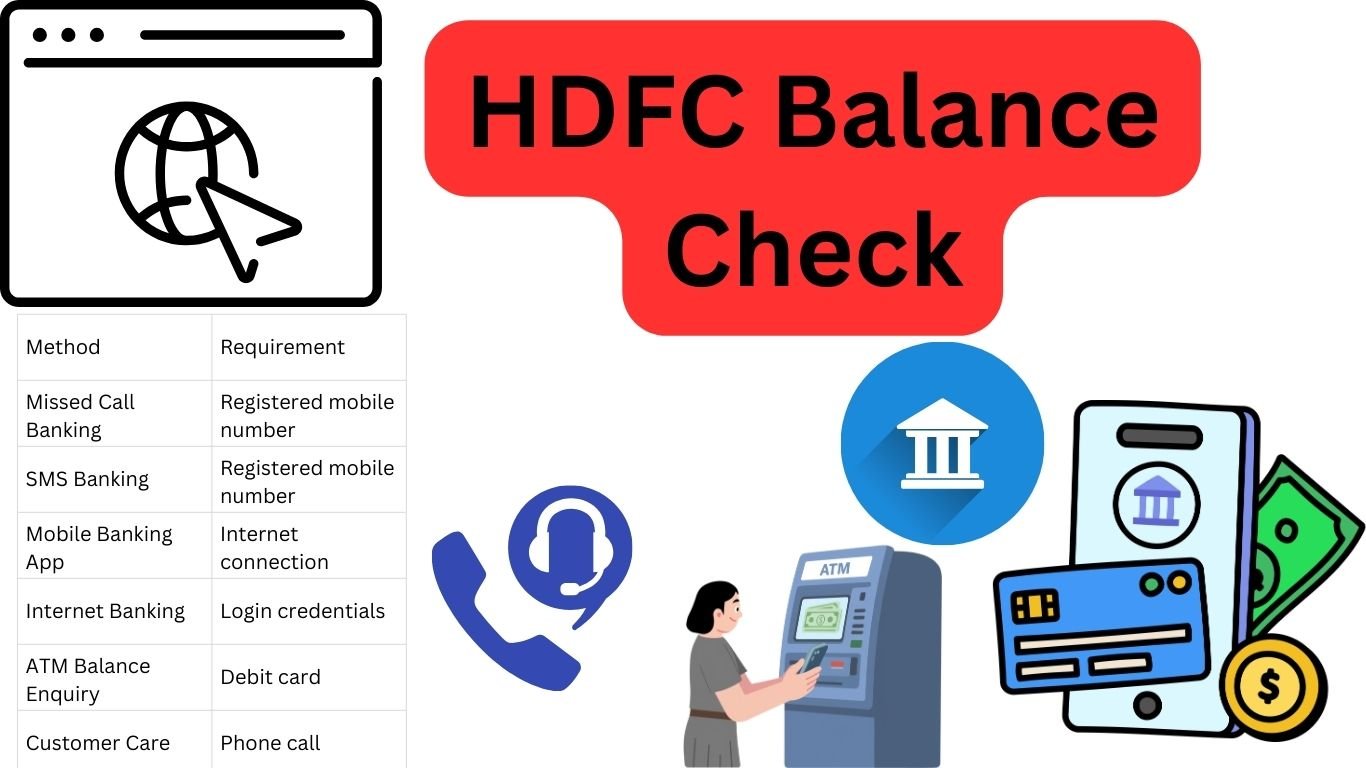
Quick Overview of HDFC Balance Enquiry Methods
| Method | Requirement | Availability |
|---|---|---|
| Missed Call Banking | Registered mobile number | 24/7 |
| SMS Banking | Registered mobile number | 24/7 |
| Mobile Banking App | Internet connection | 24/7 |
| Internet Banking | Login credentials | 24/7 |
| ATM Balance Enquiry | Debit card | 24/7 |
| Customer Care | Phone call | 24/7 |
Each method works differently depending on your convenience. Customers living in India or abroad can choose the easiest way to check their account balance.
HDFC Balance Check by Missed Call
One of the easiest ways to check your account balance is through the missed call banking service provided by HDFC Bank.
Customers simply need to give a missed call from their registered mobile number.
Missed Call Balance Enquiry Numbers
| Service | Phone Number |
|---|---|
| HDFC Balance Check | 1800 270 3333 |
| Mini Statement | 1800 270 3355 |
Steps to Check Balance
Dial 1800 270 3333 from your registered mobile number
The call will automatically disconnect after one ring
You will receive an SMS with your account balance details
This service works without internet and is available anytime.
Important Note for UAE Users
Missed call banking works only when the registered mobile number is active with international roaming. If your Indian SIM card is not active in the UAE, the missed call service may not work.
HDFC Balance Check by SMS Banking
SMS banking is another fast method for customers who prefer text messaging. It allows users to request their account balance directly through SMS.
SMS Format
Send the following message from your registered mobile number:
BAL
Send it to:
5676712
or
9215676712
Within a few seconds, you will receive a message showing your current HDFC bank balance.
Example SMS
BAL
After sending the SMS, the reply will include:
Account balance
Last updated balance information
SMS banking is useful when internet service is not available.
Important Note for UAE Customers
To use SMS banking outside India, your registered mobile number must support international SMS services. Standard SMS charges from your mobile operator may apply.
HDFC Balance Check Using Mobile Banking App
The HDFC Bank Mobile Banking App is one of the most popular ways to manage your account.
Customers can log in securely and view their account balance instantly.
Steps to Check Balance through the Mobile App
Download the HDFC Bank Mobile App from the app store
Log in using your Customer ID and password or MPIN
Open the Accounts section
Select your savings or current account
Your available balance and recent transactions will appear
Benefits of Using the Mobile App
Real-time balance updates
Quick fund transfers
Bill payments
Account statements
Credit card management
The mobile banking app works globally and is very useful for NRI customers living in the UAE.
HDFC Balance Check Through Internet Banking
Internet banking is another reliable method to check your account balance.
Customers can log in from any computer or mobile browser.
Steps for Balance Enquiry
Visit the official website of HDFC Bank
Click Login – NetBanking
Enter your Customer ID and password
Open the Accounts Summary page
Your balance will be displayed next to your account number
Internet banking also allows users to download detailed account statements and manage financial transactions.
Steps to Check HDFC Balance at an ATM
Insert your HDFC debit card
Enter your ATM PIN
Select Balance Enquiry from the menu
The screen will show your available account balance
You may also choose to print a receipt
Important Note for UAE Users
HDFC Bank does not operate its own ATM machines in the UAE. Customers living in the UAE can still check their balance by using international debit cards at other bank ATMs such as:
Emirates NBD
First Abu Dhabi Bank
Abu Dhabi Commercial Bank
Some ATMs may charge a small international transaction fee depending on your card type.
ATM balance checks are useful when you need immediate access to your account information while traveling or when internet banking is not available.
HDFC Balance Check by Customer Care
If you cannot access online services, you can contact HDFC Bank customer support.
Customer care executives can help you verify your account details after identity confirmation.
HDFC Customer Care Numbers
| Service | Phone Number |
|---|---|
| India Toll-Free | 1800 202 6161 |
| Alternate Support | 1860 267 6161 |
| International / NRI Customers | +91 22 6160 6161 |
Steps to Check Balance via Customer Care
Call the customer care number
Follow the IVR instructions
Select account balance enquiry
Enter required account verification details
Your balance information will be provided through the automated system or customer support agent.
Important Information for UAE Residents
Customers living in the UAE should call the international NRI support number (+91 22 6160 6161). International calling charges may apply depending on your telecom provider.
This option is useful for customers who prefer voice support or cannot access internet banking services.
How to Register for HDFC SMS and Missed Call Banking
To use SMS or missed call services, your mobile number must be registered with the bank.
Registration methods include:
• Visiting a bank branch
• Updating mobile number through internet banking
• Submitting a request form
• Contacting customer care
Once the number is registered, SMS and missed call banking will start working immediately.
Security Tips While Checking Your Balance
When accessing your bank account, always follow security practices to protect your financial information.
Important tips
• Never share your OTP or password
• Avoid logging in on public computers
• Use secure internet connections
• Install the official HDFC mobile banking app only
• Enable SMS alerts for transactions
These precautions help keep your bank account safe.
Advantages of Regular Balance Checking
Monitoring your bank balance frequently provides several benefits.
Financial awareness
Knowing your balance helps you control spending and manage monthly budgets effectively.
Fraud detection
If an unauthorized transaction occurs, you can report it quickly.
Better financial planning
Tracking deposits and withdrawals helps plan savings and investments.
Avoid penalty charges
Checking balance prevents failed transactions due to insufficient funds.
Common Issues During HDFC Balance Enquiry
Sometimes customers may face problems while checking their balance.
Possible issues include
Unregistered mobile number
Missed call or SMS services will not work if the number is not linked to your account.
Network problems
SMS or calls may fail due to weak network coverage.
Incorrect login details
Entering wrong internet banking credentials may block access temporarily.
ATM service outage
Some ATMs may not provide balance enquiry during technical maintenance.
If problems continue, contacting customer support is the best solution.
HDFC Bank Digital Banking Features
Apart from balance enquiry, HDFC Bank provides many digital services to make banking easier.
Some important features include
• Instant money transfer
• UPI payments
• Online bill payments
• Fixed deposit management
• Credit card services
• Loan account tracking
These services are available through both mobile banking and internet banking.
Conclusion
Checking your account balance is an important part of managing personal finances. HDFC Bank offers multiple convenient ways for customers to verify their balance quickly and securely.
You can use missed call banking, SMS banking, mobile banking apps, internet banking, ATM services, or customer care support depending on your preference.
For customers in India or NRIs living abroad, these digital tools make it easy to monitor account activity anytime. By regularly checking your balance and using secure banking practices, you can maintain better control over your finances and avoid unexpected issues.