FAB bank balance check 2026
FAB was the first bank in the UAE to introduce fully digital onboarding for salary accounts, yet many customers still stand in ATM queues just to check their balance. You do not need to do that anymore. Whether you use a FAB salary card, a regular debit card, or a Magnati-powered prepaid card, you can complete a FAB bank balance check in seconds if you know the right channels.
Below is a deep, practical guide for FAB customers in the UAE, written with everyday users in mind, from new arrivals on work visas to long-time residents managing multiple accounts and cards.
What does “FAB bank balance check” really mean?
When people search for “FAB bank balance check UAE” or “FAB bank balance check online”, they often mean slightly different things:
- Checking the balance of a FAB current or savings account
- Checking the available salary on a FAB payroll / salary card
- Checking a prepaid card balance (including Magnati-linked cards)
- Checking credit card available limit and outstanding amount
Each product has its own channel and small differences in how the balance is shown. Understanding this helps you choose the fastest and safest method instead of guessing.
FAB (First Abu Dhabi Bank) is the largest bank in the UAE by assets, with millions of salary accounts across Abu Dhabi, Dubai, Sharjah and the Northern Emirates. Because of that scale, FAB has invested heavily in digital banking, which means you now have several simple ways to perform a FAB bank balance check without visiting a branch.
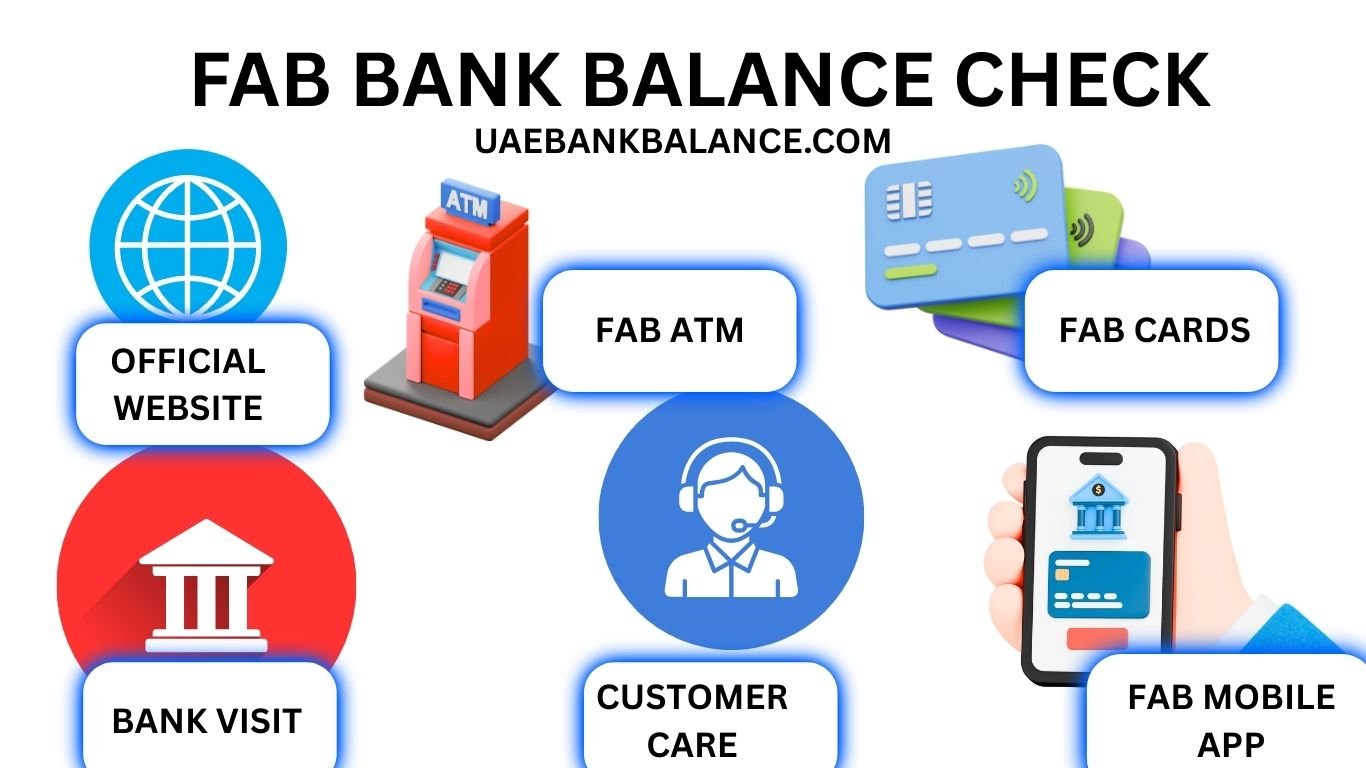
Methods for FAB bank balance check in the UAE
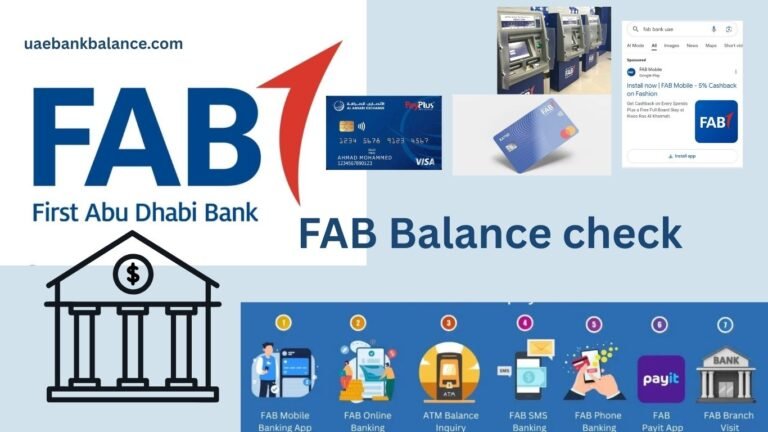
You can check your FAB balance through:
- Mobile banking app
- Online banking (web)
- ATM network (FAB and partner ATMs)
- SMS banking (for eligible customers)
- Customer care and IVR
- Magnati and salary-card specific channels
Let us look at each, from the most convenient for daily life in the UAE to the ones you use only when needed.
FAB bank balance check online (mobile app)
For most UAE residents, the FAB Mobile Banking app is the fastest way to see your account and card balances. If you use Emirates ID for most things, you will appreciate how simple this feels.
How to register on FAB Mobile
- Download “FAB Mobile” from the Apple App Store or Google Play Store.
- Open the app and choose “New to FAB Mobile”.
- Register using your CIF (Customer Information File number), card details, or UAE Pass (if supported).
- Verify with the OTP sent to your registered mobile number.
- Create a username, password, and 4-digit app PIN or biometric login.
Once you are in, you can see all your linked FAB accounts and cards on the home dashboard.
How to check your balance in the FAB app
- Open FAB Mobile and log in with PIN or Face ID / fingerprint.
- The main screen shows your primary account balance and any linked salary accounts.
- Tap the account to see:
- Available balance
- Current balance
- Recent transactions
For FAB credit cards, you will see:
- Outstanding amount
- Minimum due
- Available credit limit
- Payment due date
Fab bank balance check online through the mobile app is secure and almost instant. For most users in the UAE, this is enough for everyday tracking of salary credits, transfers, and spending.
FAB bank balance check online (web banking)
Some people still prefer a laptop or work computer, especially for business accounts or when they want to download statements.
How to access FAB Online Banking
- Go to the official FAB website (always check that the URL is correct and secure).
- Click on “Online Banking Login”.
- Choose “Personal” or “Business”.
- Log in using your user ID and password.
- Confirm using OTP or token if your profile requires it.
Checking your FAB balance on the website
Once you log in, the dashboard will show all your accounts and cards with balances. You can:
- View balances in AED or foreign currency
- Check salary credits
- Download e-statements for proof of income or visa processing
- Track transfers, standing orders, and scheduled payments
For users who search “FAB bank balance check enquiry” from office desktops, this channel is usually what they want.
FAB bank balance check via ATM
If you do not have internet access or your mobile data is down, ATMs remain a reliable backup for checking your FAB balance.
You can use:
- FAB ATMs
- Partner ATMs (where balance enquiry on FAB cards is supported)
Steps to check balance at FAB ATM
- Insert your FAB debit, salary, or prepaid card.
- Choose your language (Arabic / English or others when available).
- Enter your PIN.
- Select “Balance enquiry” or “Balance inquiry”.
- Choose whether to display on screen or print a slip.
For FAB salary cards, this is one of the most common ways workers on construction sites, in hospitality, or retail roles check their monthly pay. However, repeated ATM visits only to check your FAB bank balance can be time consuming. If you can, combine it with cash withdrawal or move to app-based checks.
Note: Some non-FAB ATMs may charge a fee for balance enquiry. Always read the on-screen message before you confirm.
FAB bank balance check salary card (payroll accounts)
Many UAE companies pay staff through FAB payroll solutions, known informally as FAB salary cards. These cards are often connected to the Wage Protection System (WPS) that the UAE Ministry of Human Resources and Emiratisation uses to monitor salaries.
If you search “FAB bank balance check salary card” or “ppc fab bank balance check salary”, you are probably trying to see if your salary has been credited or how much is left on your card.
Ways to check FAB salary card balance
You can check your FAB salary card balance through:
- FAB Mobile app (if the card is linked to a full banking profile)
- ATM balance enquiry
- SMS alerts (if activated)
- Magnati or related portals, depending on the exact product your employer uses
For many workers, the ATM option is the most used. But if the salary card is fully activated under your name and Emirates ID, it is worth linking it to the FAB app. This turns a simple payroll card into a more flexible banking tool with digital access, transaction history and easy transfers, especially important if you send remittances to India, Pakistan, the Philippines, Egypt, or elsewhere.
FAB bank balance check Magnati (prepaid and merchant-linked cards)
Magnati is FAB’s payments and merchant services arm. Many prepaid cards, gift cards, or merchant settlement cards across the UAE run through Magnati infrastructure.
If you have:
- A corporate prepaid card
- A gift card or travel card issued through a FAB / Magnati platform
- A merchant settlement card that receives POS collections
You might need a separate route to check your balance.
How FAB bank balance check Magnati usually works
Depending on your specific product, you may use:
- A dedicated Magnati portal link printed on the card or brochure
- A QR code on the back of the card that takes you to a balance page
- An SMS-based balance enquiry using a short code
- Merchant / corporate dashboards, in the case of business accounts
The steps often look like this:
- Visit the web link or scan the QR code mentioned on the card.
- Enter the last digits of your card number and security details.
- Complete an OTP verification if required.
- View your available card balance and sometimes recent transactions.
Because Magnati powers many white-label solutions, the exact steps may differ. Always follow the instructions provided with your card or by your employer. If nothing works, contact FAB customer care and ask specifically about Magnati prepaid or merchant card balance enquiry.
FAB SMS banking and balance alerts
Not everyone wants to open an app every time they do a small payment in Abu Dhabi, Sharjah, or Fujairah. For those users, FAB’s SMS service is still helpful.
There are usually two layers:
- SMS alerts for every transaction, salary credit, or large payment
- SMS commands (for customers who have enrolled in SMS banking)
If SMS commands are enabled for your account, you may be able to send a specific keyword from your registered mobile number to the FAB short code to receive your latest balance as a text message.
Charging and availability may change over time, so it is better to:
- Check FAB’s official website for “SMS banking”
- Or call customer care and ask which keywords work for balance enquiry
Even without commands, simple alert messages when your salary arrives in your FAB account or salary card are very useful, especially if you budget month to month.
FAB customer care and IVR balance enquiry
If your internet is not working or you face trouble with the app, you can still perform a FAB bank balance check by calling customer support.
Typical steps:
- Call the official FAB customer care number for the UAE (from the website or your card).
- Choose your language.
- Select the option for “Banking services” or “Card services”.
- Use your card / account number and PIN or phone banking PIN for verification.
- Use the IVR option for “Balance enquiry” or speak to an agent.
Customer care will usually share:
- Available balance in your current or savings account
- Latest transactions
- For credit cards, outstanding amount and due date
Avoid calling from public places and never share your OTP or full card details with anyone who calls you. FAB and other UAE banks regularly warn customers about phone scams.
Common issues during FAB bank balance check
Even in a financially advanced country like the UAE, balance checks can fail for simple reasons. Here are typical problems users face and how to handle them.
Wrong or expired mobile number
If you changed your UAE number from one telecom provider to another and did not update FAB, OTPs and alerts may fail.
Solution:
- Visit a FAB branch with your Emirates ID to update your mobile number.
- Or update it through the app, if the bank allows self-service change.
Locked card or wrong PIN
Too many incorrect PIN entries at ATM or app login errors can lock your card or account access temporarily.
Solution:
- Use the “Forgot PIN” or “Reset password” option in the FAB app or online banking.
- Or contact FAB customer support for assistance.
Technical downtime
Occasionally, online banking or ATMs may face brief downtime due to maintenance or upgrades.
Solution:
- Wait for some time and try again.
- Use another channel (for example, if the ATM is down, use the app).
FAB bank balance check for different card types
To put everything in one place, here is how balance checking usually differs between card types.
FAB debit card
- Best via: FAB Mobile app, online banking, ATMs
- Balance type: Account balance (current / savings)
FAB salary / payroll card
- Best via: ATM, FAB Mobile (if linked), sometimes SMS
- Balance type: Salary amount and remaining usable balance
FAB credit card
- Best via: App, online banking, customer care
- Balance type: Outstanding amount, minimum due, available credit limit
FAB prepaid / Magnati-linked card
- Best via: Magnati portal / app, dedicated balance enquiry link, sometimes SMS or employer portal
- Balance type: Available card value only
Being clear about which card you are holding helps you avoid confusion and choose the right method.
Local context: Why fast balance checks matter in the UAE
Living in the UAE means dealing with:
- Rent payments that are often large, sometimes through cheques or bank transfers
- School fees and medical expenses
- Frequent use of credit and debit cards at malls, petrol stations, and supermarkets
- Regular remittances to home countries
A quick FAB bank balance check before you transfer rent to your landlord in Dubai Marina or pay school fees in Abu Dhabi can prevent bounced transfers and unnecessary charges. For lower-income workers, instant knowledge of salary credits on FAB salary cards also decides when they can recharge mobiles, shop, or send money home.
As a local guide, Uaebankbalance.com focuses on this daily financial reality, helping residents understand not just how to check balances, but how to read those numbers in the context of UAE life, costs, and financial planning.
If you are exploring other UAE banks, account types, or salary card options, you can also browse related guides on Uaebankbalance.com covering banking news, government regulations, and lifestyle costs across the Emirates.
Best practices for safe FAB balance enquiry
A FAB bank balance check enquiry may sound simple, but it touches on your most sensitive financial data. Some habits can keep this process safe:
- Always use official channels: FAB app, official website, or known ATMs
- Avoid public Wi-Fi for online banking, especially in cafes or malls
- Log out of the app and web banking after each session
- Never share your OTP, app PIN, or full card details with anyone
- Ignore messages or calls that claim to be FAB and ask for details urgently
The UAE Central Bank and local police often warn residents about phishing and phone scams. Treat your balance access as seriously as your Emirates ID or passport.
FAB bank balance check: Quick reference by channel
For quick memory:
- “FAB bank balance check online” → Use FAB Mobile app or web banking
- “FAB bank balance check salary card” → Try ATM first, then link to app if possible
- “FAB bank balance check Magnati” → Use the special portal or link printed on your prepaid / merchant card
- “Fabbank balance check enquiry” → Any of the above methods, based on card type and your internet access
FAQ: FAB bank balance check UAE
1. How can I check my FAB bank balance online without visiting a branch?
You can use either the FAB Mobile app or FAB online banking. Register using your CIF, card, or UAE Pass, log in, and your current and savings account balances appear on the main dashboard. For many users this is the easiest FAB bank balance check option.
2. How do I check my FAB salary card balance?
You can:
- Use any FAB ATM and select “Balance enquiry”
- Use FAB Mobile if your salary card is linked to your full banking profile
- In some cases, use SMS alerts or dedicated portals, especially if your employer uses a specific payroll solution
Ask your HR department or FAB branch how your salary card is set up.
3. Is there a fee for FAB bank balance check at ATMs?
At FAB ATMs, balance enquiry is usually free. At non-FAB ATMs, some networks may charge a small fee. Always read the on-screen message before confirming.
4. Can I check my FAB bank balance using my mobile number only?
Not directly. You need to be registered for FAB Mobile or SMS banking. Once registered, your mobile number is used for OTPs and alerts, but you still log in using your app credentials or registered commands, not just your number.
5. How can I check my FAB credit card balance and available limit?
Use the FAB app or online banking:
- Log in and choose your credit card
- You will see outstanding amount, minimum payment, and available credit limit
You can also call FAB customer care and use the IVR menu to hear your card balance and due date.
6. How do I perform a FAB bank balance check Magnati for a prepaid card?
Use the link, portal, or QR code given with your Magnati-powered card:
- Open the web page or app mentioned
- Enter your card details as requested
- Verify with OTP
- View your available card balance
If you do not have any link or instructions, contact FAB or your employer / card issuer.
7. Why is my FAB balance different from what I expected?
Several reasons:
- Pending card transactions that have been authorised but not fully posted
- Holds from hotels, car rentals, or petrol stations
- Recent transfers that are still processing
- Fees or charges you may have missed
Check your transaction history in the app or download a mini-statement from an ATM to see details.
8. I forgot my FAB app password. Can I still check my balance?
Yes. Use “Forgot password” in the FAB app or online banking. After resetting your password with OTP verification, you can log in again and view your balance. Until then, you can use an ATM for a quick FAB bank balance check.
9. Is it safe to check my FAB balance on a public Wi-Fi network?
It is better to avoid public Wi-Fi for banking. Use your mobile data or a trusted private network. If you must use public Wi-Fi, avoid saving your credentials and log out immediately after checking your balance.
10. How often should I check my FAB bank balance?
Many UAE residents check daily or at least weekly, especially around salary credit dates and major payment deadlines like rent or credit card due dates. Regular checks help you avoid overdrafts, penalties, and declined payments in shops or online.
If you are navigating banking in the UAE for the first time, keep Uaebankbalance.com bookmarked. From FAB bank balance check tips to comparisons of salary cards and local financial news, the goal is to keep your money life here clearer and more predictable, no matter which Emirate you call home.