FAB Balance Check UAE – Step-by-Step 2026
Summary
Would you like to check your FAB account balance quickly? This detailed guide explains every method to check your balance in the UAE. You will learn how to use the FAB Mobile App, Online Banking, ATMs, the Ratibi/Prepaid Card portal, IVR phone calls, SMS banking, and in-branch services.
We’ll explain each step clearly so you can follow without confusion. You’ll also encounter special cases, such as credit cards and salary cards, as well as troubleshooting steps when your salary does not appear. By the end, you’ll know which method is fastest, safest, and most convenient for you.
What is FAB Balance Check?
A FAB balance check simply means checking how much money you currently have in your First Abu Dhabi Bank (FAB) account or card. Whether you’re using a savings account, salary card, or credit card, performing a quick FAB Bank balance enquiry helps you stay updated about your finances anytime, anywhere.
With digital banking becoming an everyday part of life in the UAE, FAB Bank balance check services have become faster and more convenient. You can now check your balance online, through mobile apps, ATMs, or even SMS. Each method gives you real-time updates about your available funds and transactions — ensuring you’re always in control of your money.
When you do a FAB balance check, you’re viewing one of the following types of balances:
Bank Accounts
This includes your savings or current account balances. You can view available funds, recent transactions, and pending amounts.
Debit Cards
A FAB Bank balance enquiry for debit cards lets you know the exact amount linked to your account. It’s useful for daily purchases and withdrawals.
Credit Cards
For credit cards, a FAB Bank balance check shows your outstanding dues, available limit, and next payment date — helping you manage payments easily.
Prepaid Salary Cards (Ratibi / Payment Cards)
Many employees in the UAE use FAB’s prepaid cards. A quick FAB balance check on these cards helps confirm if salaries or payments have been credited.
In short, a FAB Bank balance enquiry is not just about checking your money — it’s about keeping track of your financial health. Whether you’re a UAE resident managing expenses or an employee using a FAB Ratibi card, knowing your current balance helps you plan and avoid surprises.
Read More
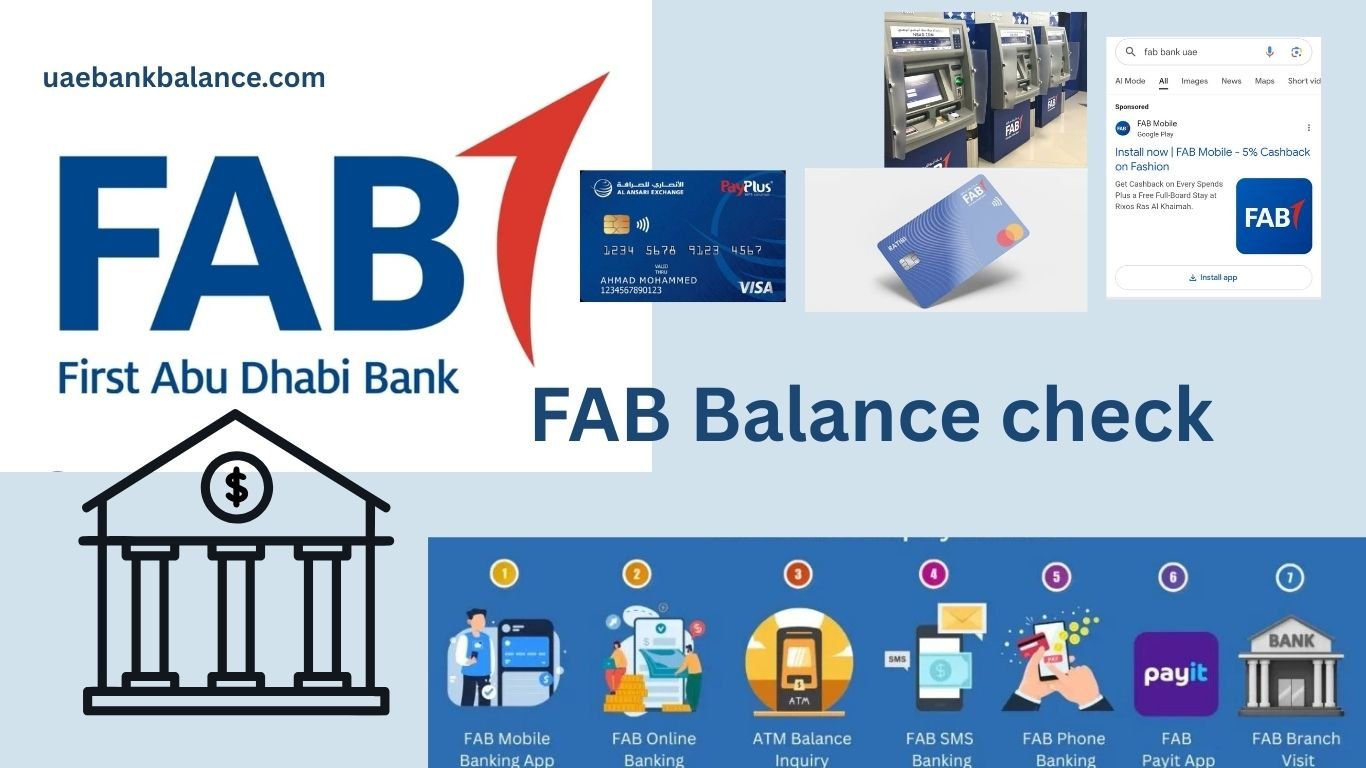
FAB Balance Check Methods
Each type has its own checking method. Let’s go through them one by one.
Method 1: FAB Mobile Banking App
Why Use This?
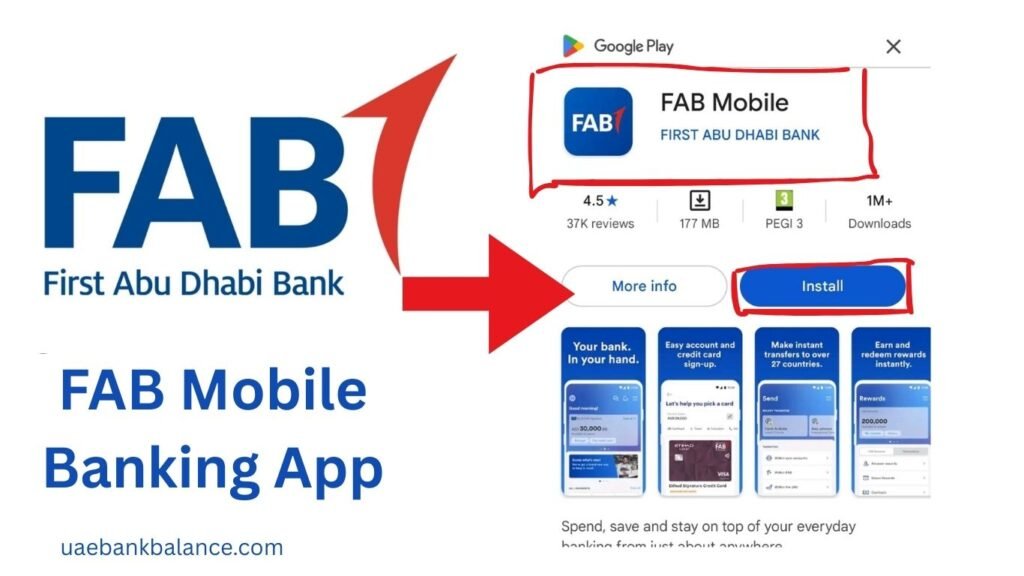
The FAB Mobile App is the fastest and easiest way to check your balance. It works on both Android and iPhone.
How It Works
You download the app, register with your Emirates ID and customer/card number, and then log in. Once logged in, the dashboard shows your balance instantly.
Steps to FAB Balance Check Using the Mobile App
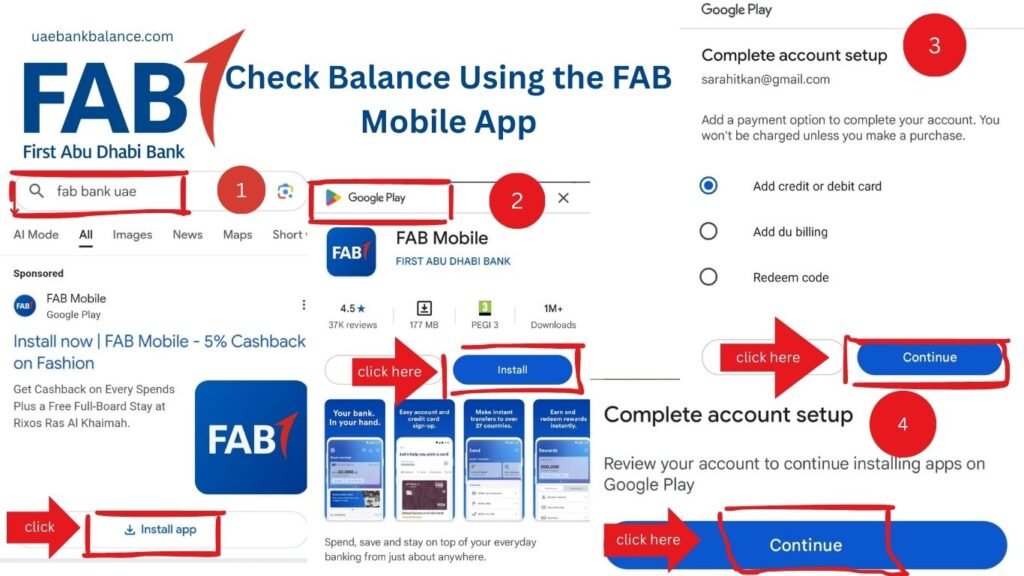
- Go to the Apple App Store or Google Play Store. This opens the official app stores so you can find the real FAB app.
- Search for FAB Mobile and install it. Downloading installs the official app on your phone so you can use banking features.
- Open the app and choose Already a Customer. This tells the app you already have an account and begins the login or registration flow.
- Enter your Customer ID or Card Number. This links the app to your bank records so the system finds your account.
- Scan your Emirates ID when asked. The ID scan confirms who you are and helps activate app access securely.
- Verify your identity with the OTP sent to your mobile. The one-time code proves the phone number is yours and protects your account.
- Set a secure PIN or password. This creates a secret you use to open the app on your device.
- Enable fingerprint or Face ID if you want. Biometrics make login faster and more secure on compatible phones.
- Log in to the app. After setup, this opens your dashboard, where balances are shown.
- On the dashboard, you will see all your accounts and balances. Tap any account to view more details or recent transactions.
Extra Features in the App
- Refresh balance in real-time.
- View mini statements.
- Check credit card due amounts.
- Transfer money instantly.
Method 2: FAB Online Banking
Why Use This?
If you prefer a bigger screen or want to download or print statements, FAB Online Banking is best.
Steps for Registered Users: For FAB Bank Balance Check
- Open your browser and go to the official FAB Online Banking login page. Make sure you use the bank’s official website to stay safe.
- Enter your User ID and Password. These are the credentials you created when you registered for online banking.
- Verify with the OTP sent to your mobile/email. The OTP is a security code to confirm it’s really you signing in.
- Once logged in, click Accounts or Cards. This opens the area where balances and card details are displayed.
- Your balance will appear on the screen. You can view the available amount and recent transactions here.
Steps for New Users
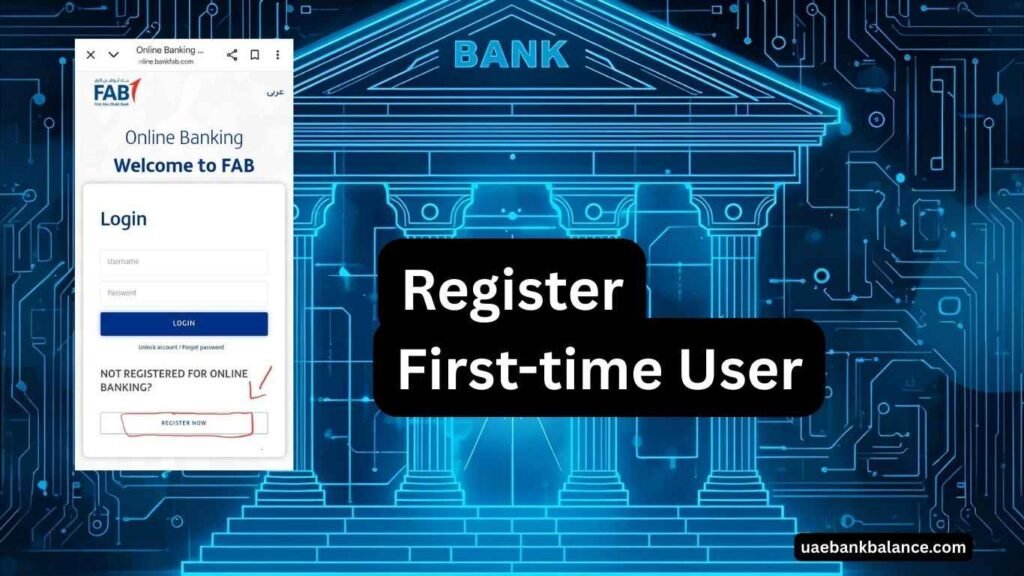
- On the login page, click Register / First Time User. This starts the online registration process if you haven’t used web banking before.
- Enter your Customer ID or Card Number. These details allow the bank to find your account to register you.
- Provide your registered mobile number or email. — The bank sends verification codes to the contact information it has on record.
- Enter the OTP you received. This confirms your phone/email belongs to you.
- Create your User ID and Password. Choose secure credentials you will use to log in later.
- Log in and check your balance. After registration, follow the registered-user steps to view balances.
Tip: Bookmark the FAB online portal on your desktop for quick future access.
Method 3: FAB ATM
Why Use This?
For customers without internet access, FAB’s nationwide ATM network offers a simple and secure way to check your balance anytime.
ATMs are located in malls, fuel stations, metro stations, and high-traffic areas across the UAE — ensuring convenience no matter where you are.
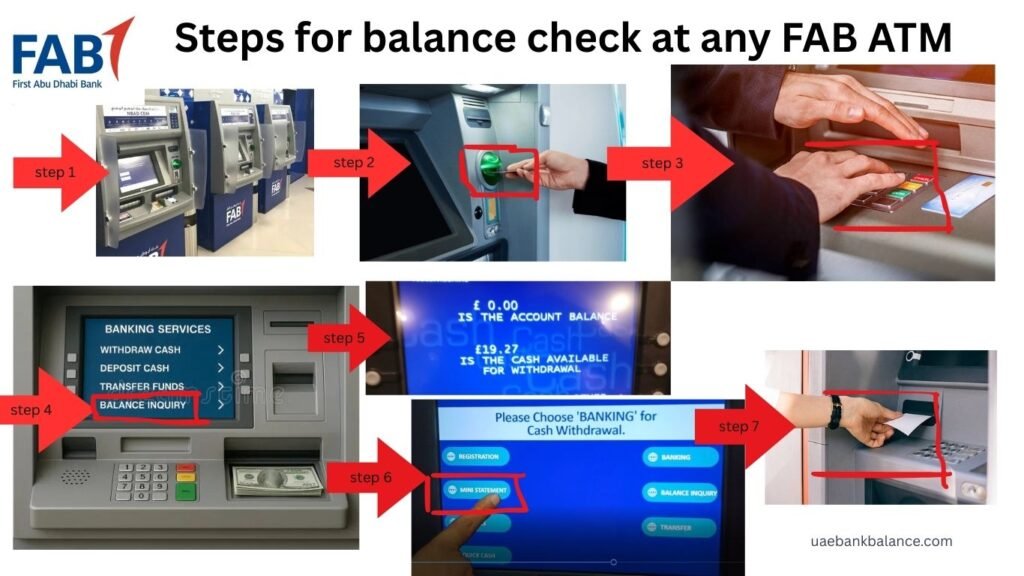
Steps For FAB Bank Balance Enquiry at an ATM
- Visit your nearest FAB ATM.
- Insert your FAB Debit or Prepaid Card.
- Select your preferred language.
- Choose the “Balance Inquiry” option.
- Enter your PIN code securely.
- The screen will display your available balance.
- You can also print a receipt for a physical record.
Extra ATM Features
- Cash withdrawals and deposits
- Credit card bill payments
- Mini statements
- Fund transfers within FAB accounts
Tip: Use FAB’s ATM locator in the mobile app to find the closest machine instantly.
Read More: FAB ATM Near Me
Method 4: Ratibi / Prepaid Salary Card Portal
Why Use This?
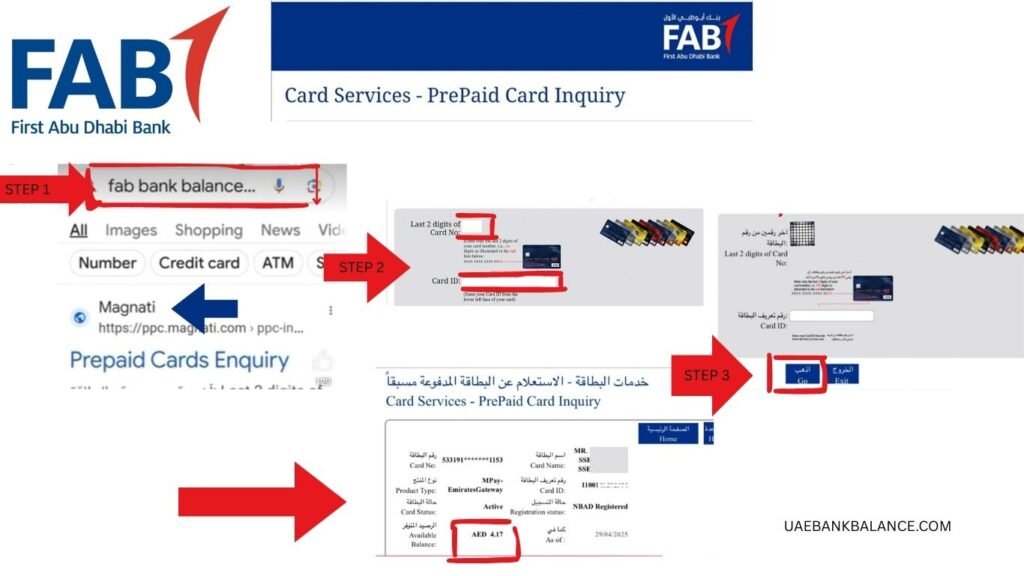
Ratibi and Payment cards are prepaid salary cards. They use a special online portal. You don’t need to log in to full banking, just your Card ID and last 4 digits.
Steps
- Go to the official Prepaid Cards Enquiry portal. Use the bank’s official prepaid portal page to avoid fake sites.
- Enter your Card ID (printed on the card). The Card ID is a short code on your card used to look up the prepaid account.
- Enter the last 4 digits of the card number. This small piece of the card number helps confirm the card.
- Complete the captcha. This proves you are a real person and not an automated bot.
- Click Submit. This asks the site to search and display your balance.
Your balance will appear instantly. You’ll see the available amount and sometimes recent activity.
Method 5: FAB IVR Phone Call
Why Use This?
If you prefer calling, FAB has an automated phone system (IVR).
Steps
- Call the FAB customer service number(600 52 5500). Dial the number for your region so you get the correct menu.
- Select your language. This sets the voice menu to a language you understand.
- Follow the menu to Balance Enquiry. Listen to options and choose the one for accounts or cards.
- Enter your Customer ID, Card Number, or Emirates ID if asked. These details verify which account you are asking about.
- Listen to your balance information. The IVR will read the available balance aloud.
- If needed, press to talk to a live agent. — An agent can help with more complex issues or confirm details.
FAB customer service numbers
customer service: 600525500
International: +971(2)6811511
Ratibi Service: 600522298
International: +971(2)4996279
Read More
Method 6: SMS Banking (If Enabled)
Why Use This?
Some FAB customers can receive balance alerts or send keywords by SMS.
Steps
- Could you make sure your mobile number is registered with FAB? If your number is not registered, you won’t receive SMS replies.
- Ask FAB if the SMS balance service is available for your account. Not all accounts or customers have SMS features enabled.
- If yes, send the keyword to the official FAB SMS short code. The bank will give you the exact keyword and number to use,
- Receive your balance by SMS reply. You’ll get a text message showing your current balance.
Tip: Keep your SIM active and avoid roaming blocks to receive FAB alerts while abroad.
Method 7: Visit a FAB Branch
Why Use This?
If your account is blocked or you need an official stamped statement, visit a branch.
Steps
- Go to the nearest FAB branch. Find branch opening hours before you go to avoid waiting.
- Carry your Emirates ID and FAB card. These documents prove your identity at the counter.
- Take a token and wait for your turn. Most branches use a ticket system to manage queues.
- Ask the teller for a balance check or mini statement. Tell them exactly what you need so they can help quickly.
- The teller will print your balance. You can take the printed copy as proof or a record.
Special Cases
Checking Credit Card Balance
- Open the FAB Mobile App.
- Tap Cards.
- View Outstanding Balance, Minimum Due, and Available Credit.
This shows what you owe, the smallest required payment, and how much you can still spend.
Ratibi Salary Cards
- Use the Prepaid Portal (Card ID + Last 4 digits
This is the quickest way to see employer-loaded salary on prepaid cards.) - If salary is missing, confirm with your HR or employer.
Hey, can you share payment references or confirm the payroll has been sent?
Salary Not Showing?
Sometimes your salary does not appear on time.
Steps to Check
- Confirm whether the salary goes to the account or the prepaid card. (Knowing where to look saves time and confusion.
- Wait until the end of payroll day. Payroll batches sometimes process late in the day.)
- Refresh the app or online banking. Refreshing forces the system to show new transactions.
- If still missing, call FAB customer service. They can trace incoming payments.
- Ask HR for the payment reference number. A reference helps the bank locate the exact transfer.
Troubleshooting
- OTP not received? Update your registered mobile number. A wrong number means you won’t get verification codes.
- App not working? Reinstall and try again. Reinstalling clears bugs and ensures the latest version is used.
- Prepaid portal error? Try another browser or device. Some browsers or cached settings can block the portal.
- Forgot password? Use the Forgot Password option and reset via OTP. This will send a code so you can create a new password.
Safety Tips
- Never share OTP, PIN, or password with anyone. These are private and protect your money.
- Only use official FAB apps and websites. Fake sites try to steal login details.
- Enable Face ID or fingerprint login for extra security. Biometrics add protection while being convenient.
- Report suspicious calls or SMS to FAB immediately. Fast reporting helps stop fraud quickly.)
Fees & Charges
- Balance check via app = Free. Using the app won’t cost you anything.)
- Balance check via FAB ATM = Free. FAB ATMs usually offer basic services without charge.
- Balance check at non-FAB ATMs = Small fee may apply. Third-party ATMs can charge you.
- SMS services = May carry charges (ask FAB). Some SMS messages may be billed by your mobile operator.
Which Method Should You Choose?
[If you have internet → Mobile App. Fast, shows everything in one place.
- If you’re on a computer → Online Banking. Good for printing and downloads.
- No internet → FAB ATM. Works offline and prints receipts.
- Salary card → Prepaid Portal. Designed for salary/prepaid checks.
- Voice option → IVR Call. Use when you prefer talking or listening.
- Official need → Branch Visit. The branch can give stamped documents and fix profile issues.
FAQs About First Abu Dhabi Bank Balance Check Methods
Q: Can I check my FAB balance without internet?
Yes. Use an ATM or call the IVR service.
Q: Is the Ratibi prepaid card balance check free?
Yes. The portal is free to use.
Q: Can I get a printed statement online?
Yes. Use Online Banking or request it at a branch.
Q: Why is my balance not updated instantly?
Sometimes transactions take a few hours to reflect. Refresh the app or check later.
Q: Can I check the FAB balance outside the UAE?
Yes. Use the FAB Mobile App or Online Banking.
Final Word for First Abu Dhabi Bank Balance Check
To conclude, First Abu Dhabi Bank Balance Check methods are simple and secure. Whether you use the mobile app, online banking, ATMs, Ratibi portal, IVR, or visit a branch, you have multiple choices.
Choose the method that fits your needs: fast check, printed copy, or prepaid card verification. Always stay safe by protecting your PINs and OTPs.
For more detailed guides on banking in the UAE, visit uaebankbalance.com – your trusted source for simple step-by-step banking help.