MyPay MyCard Check Balance FAB – How to Check Your Salary Card Balance Online (2026)
If you receive your salary through MyPay MyCard, checking your available balance is one of the first things you’ll want to do every payday. Whether you’re waiting for your monthly salary, planning to withdraw cash, or making purchases, knowing your current balance helps you manage your finances with confidence.
Many employees in the UAE receive their salaries through MyPay MyCard, a prepaid payroll card used under the UAE’s Wage Protection System (WPS). The card allows employees to receive salaries without opening a traditional bank account while still enjoying services such as ATM withdrawals, online shopping, retail payments, and balance enquiries.
Many users search for MyPay MyCard Check Balance FAB because the salary card operates within payroll solutions associated with First Abu Dhabi Bank (FAB) and can be used at FAB ATMs for balance enquiries and cash withdrawals. However, many people are unsure about the correct balance-checking methods or how to confirm whether their salary has been credited.
This guide explains everything you need to know about MyPay MyCard balance check, including official balance enquiry methods, salary verification, ATM balance checks, common problems, security tips, and answers to the most frequently asked questions.
What Is MyPay MyCard FAB?
MyPay MyCard is a prepaid payroll salary card widely used by employers in the UAE to distribute employee salaries through the Wage Protection System (WPS). It is designed for employees who may not have a traditional UAE bank account but still need secure and convenient access to their monthly wages.
The card is commonly associated with payroll solutions provided through LuLu Exchange and supported banking infrastructure, allowing cardholders to receive salaries, withdraw cash, make purchases, and manage their funds efficiently.
Unlike a savings or current account, MyPay MyCard only allows you to spend or withdraw the money that has already been credited to your card. Since it is a prepaid payroll card, it does not provide credit facilities or cheque books like a regular bank account.
For thousands of employees across construction, retail, hospitality, logistics, and domestic services, MyPay MyCard serves as their primary financial tool for accessing salaries.
Benefits of Using MyPay MyCard
The MyPay MyCard salary card offers several practical benefits that make salary management easier for employees.
Some of the main advantages include:
- Receive salary directly through WPS.
- Withdraw cash from supported ATMs.
- Shop at retail stores across the UAE.
- Make online purchases where accepted.
- Check balance anytime.
- View transaction history.
- Receive salary without opening a bank account.
- Secure PIN-protected transactions.
These features make the card a convenient option for employees who want easy access to their monthly wages.
How to Check MyPay MyCard Balance FAB
Checking your balance is quick and can be done through several official methods. The best option depends on whether you have internet access, a smartphone, or prefer visiting an ATM.
The most common balance enquiry methods include:
| Method | Availability | Best For |
|---|---|---|
| LuLu Money App | 24/7 | Instant balance check |
| FAB ATM | 24/7 | Offline balance enquiry |
| Salary SMS Alerts | Available when applicable | Salary notifications |
| Customer Support | Business hours | Account assistance |
Each method allows you to confirm your available balance before making purchases or withdrawing cash.
Method 1: MyPay MyCard Balance Check Using the LuLu Money App
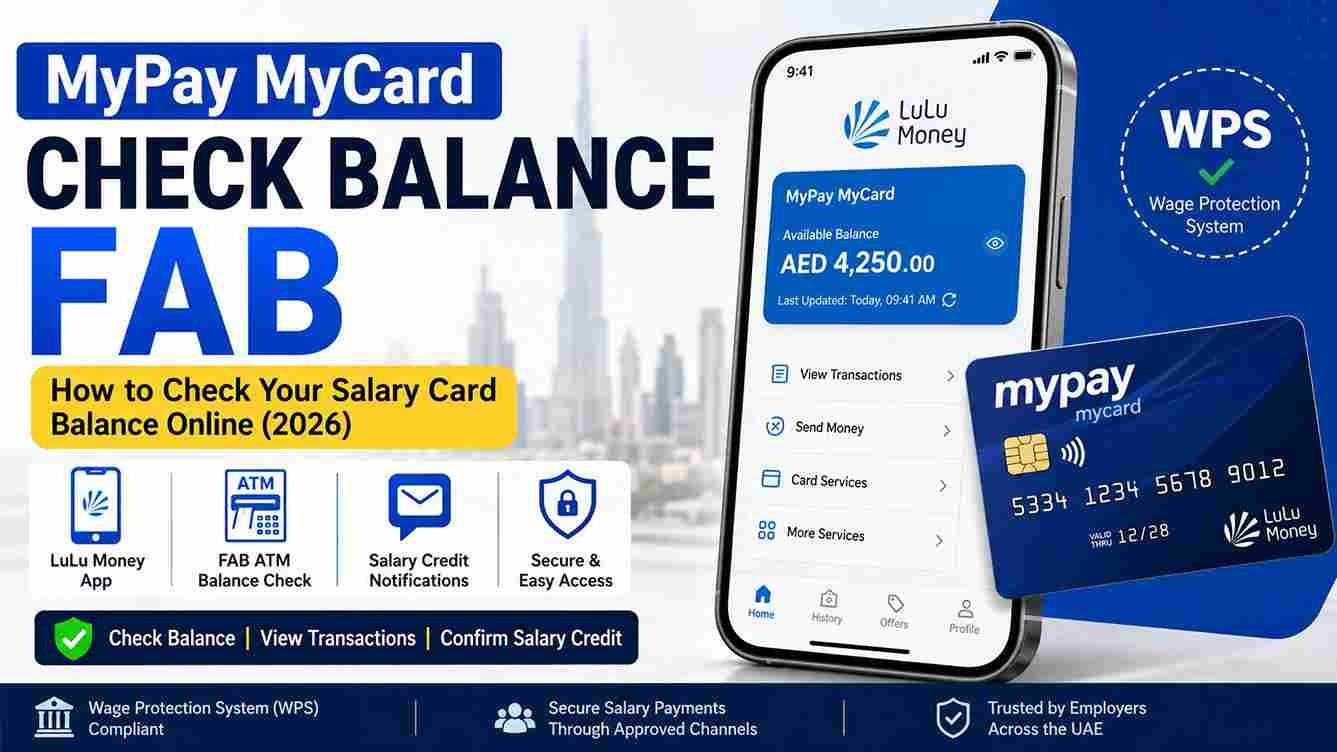
The LuLu Money App is the easiest way to check your MyPay MyCard balance. Once your account has been registered, you can log in securely and view your available balance within seconds.
The app also provides access to recent transactions, helping you monitor your spending and confirm salary credits.
Step 1
Download the official LuLu Money App from your mobile device’s app store.
Step 2
Open the application and log in using your registered mobile number or account credentials.
Step 3
Complete OTP verification or biometric authentication if requested.
Step 4
Open your MyPay MyCard dashboard.
Step 5
Your available balance, recent transactions, and salary credits will be displayed.
The mobile app is ideal because it allows you to check your balance anytime without visiting an ATM.
Method 2: MyPay MyCard Check Balance FAB ATM
If you do not have internet access, you can use a supported First Abu Dhabi Bank (FAB) ATM to check your available balance.
This is one of the most reliable methods for employees who want to confirm their salary before withdrawing cash.
Step 1
Insert your MyPay MyCard into the ATM.
Step 2
Enter your four-digit PIN carefully.
Step 3
Select Balance Inquiry from the ATM menu.
Step 4
Wait while the ATM processes your request.
Step 5
Your available balance will appear on the screen. Depending on the ATM, you may also have the option to print a receipt.
If you intend to withdraw cash, checking your balance first helps ensure that sufficient funds are available.
Method 3: Check Salary Credit Notifications
Some cardholders may receive SMS notifications when their salary has been credited or when transactions occur.
If this service is available for your card, it provides a quick way to confirm that your employer has transferred your monthly salary without needing to log in or visit an ATM.
However, SMS alerts should not replace regular balance checks, especially if you need to verify your exact available balance.
How to Check If Your Salary Has Been Credited
One of the main reasons employees search for MyPay MyCard Check Balance FAB is to confirm whether their monthly salary has been deposited. Instead of waiting for a message from their employer, most users simply check their available balance through the LuLu Money App or a supported ATM.
Once your employer processes payroll through the UAE Wage Protection System (WPS), your salary is transferred to your MyPay MyCard. Depending on your employer’s payroll schedule and processing times, the funds may become available shortly after the transfer is completed.
You can confirm your salary has been credited by:
- Checking your available balance in the LuLu Money App.
- Viewing your recent transaction history.
- Using a FAB ATM for a balance enquiry.
- Checking any salary notification SMS, if available.
If your salary has not appeared by the expected payday, contact your employer first to confirm that payroll has been processed before reporting the issue to customer support.
Difference Between Salary Credit and Available Balance
Many employees become confused when their available balance is lower than their salary amount. This usually happens because money has already been spent or withdrawn after the salary was credited.
Understanding the difference between these two values helps avoid unnecessary concern.
| Item | Meaning |
|---|---|
| Salary Credit | The amount your employer deposited into your MyPay MyCard. |
| Available Balance | The remaining amount after withdrawals, purchases, transfers, or other completed transactions. |
For example, if your employer deposits AED 4,500 and you later withdraw AED 1,000 from an ATM and spend AED 500 at a supermarket, your available balance will be AED 3,000.
Checking your transaction history alongside your balance can help you understand where your money has been spent.
How to View Your Transaction History
Besides checking your balance, reviewing your transaction history is one of the best ways to monitor your salary and daily spending.
Your transaction history usually includes:
- Monthly salary credits
- ATM cash withdrawals
- Retail purchases
- Online shopping payments
- Money transfers
- Balance enquiries (where applicable)
Reviewing these transactions regularly can help you identify unauthorized activity and better manage your monthly expenses.
Common MyPay MyCard Balance Check Problems
Although checking your balance is usually quick and simple, users may occasionally encounter issues. Most problems can be resolved without much difficulty.
Balance Not Updating
Sometimes your balance may not immediately reflect a recent salary credit or transaction.
Possible reasons include:
- Payroll is still being processed.
- Transactions are pending.
- Temporary system maintenance.
- Network delays.
Waiting a short time and checking again often resolves the issue.
Salary Not Credited
If your expected salary has not appeared, the problem may not necessarily be with your MyPay MyCard.
Possible reasons include:
- Employer has not processed payroll yet.
- WPS processing delays.
- Public holidays.
- Banking processing schedules.
Always confirm with your employer before assuming there is a technical problem.
Forgot Your PIN
If you’ve forgotten your ATM PIN, avoid entering multiple incorrect attempts, as this could temporarily block your card.
Instead, follow the official PIN reset process or contact customer support for assistance.
Card Blocked
A MyPay MyCard may become temporarily blocked due to:
- Multiple incorrect PIN attempts.
- Security verification.
- Suspected unusual activity.
- Card expiration.
If your card is blocked, contact the official customer support team to verify your identity and receive guidance on restoring access.
ATM Declines Your Card
If an ATM rejects your transaction, check the following:
- Your card has not expired.
- You entered the correct PIN.
- Your balance is sufficient.
- The ATM is functioning properly.
If the problem continues, try another supported ATM or contact customer support.
Unable to Log In
If you’re unable to access the LuLu Money App, consider these troubleshooting steps:
- Verify your username and password.
- Update the app to the latest version.
- Ensure you have a stable internet connection.
- Restart your device.
- Reset your password if necessary.
Safety Tips for MyPay MyCard Users
Since your MyPay MyCard contains your salary, keeping your account secure should always be a priority.
Follow these important safety practices:
- Never share your PIN with anyone.
- Keep your One-Time Password (OTP) confidential.
- Use only the official LuLu Money App and official banking channels.
- Avoid clicking suspicious links received through SMS or email.
- Check your balance regularly to monitor your account activity.
- Report a lost or stolen card immediately.
- Log out after using the mobile app on shared devices.
These simple precautions help protect your salary and reduce the risk of fraud.
Frequently Asked Questions
How do I check MyPay MyCard balance?
You can check your MyPay MyCard balance using the official LuLu Money App or by visiting a supported FAB ATM and selecting the Balance Inquiry option. Both methods allow you to view your available balance securely.
Can I check MyPay MyCard balance online?
Yes. After registering your account, you can log in through the official LuLu Money App to view your available balance, recent transactions, and salary credits.
Is MyPay MyCard linked with FAB?
MyPay MyCard is a prepaid payroll salary card used within payroll solutions associated with First Abu Dhabi Bank (FAB), allowing cardholders to use supported FAB ATMs for services such as balance enquiries and cash withdrawals.
Can I withdraw my salary from any ATM?
You can generally withdraw cash from supported ATMs where your card network is accepted, subject to your available balance, daily withdrawal limits, and any applicable ATM fees.
What should I do if my salary has not been credited?
First, confirm with your employer that the salary has been processed through the Wage Protection System. If payroll has already been completed and the funds still do not appear after a reasonable time, contact the appropriate customer support channel for assistance.
Final Verdict
Performing a MyPay MyCard Check Balance FAB is quick, secure, and essential for managing your salary in the UAE. Whether you use the LuLu Money App, a FAB ATM, or salary notifications, checking your available balance regularly helps you confirm salary credits, avoid declined transactions, and keep track of your monthly spending.
If you experience issues such as a missing salary, incorrect balance, or a blocked card, always verify the situation through official channels and avoid sharing your personal banking information with anyone. By following the official balance enquiry methods and practising good account security, you can use your MyPay MyCard confidently and access your salary whenever you need it.